Metrics
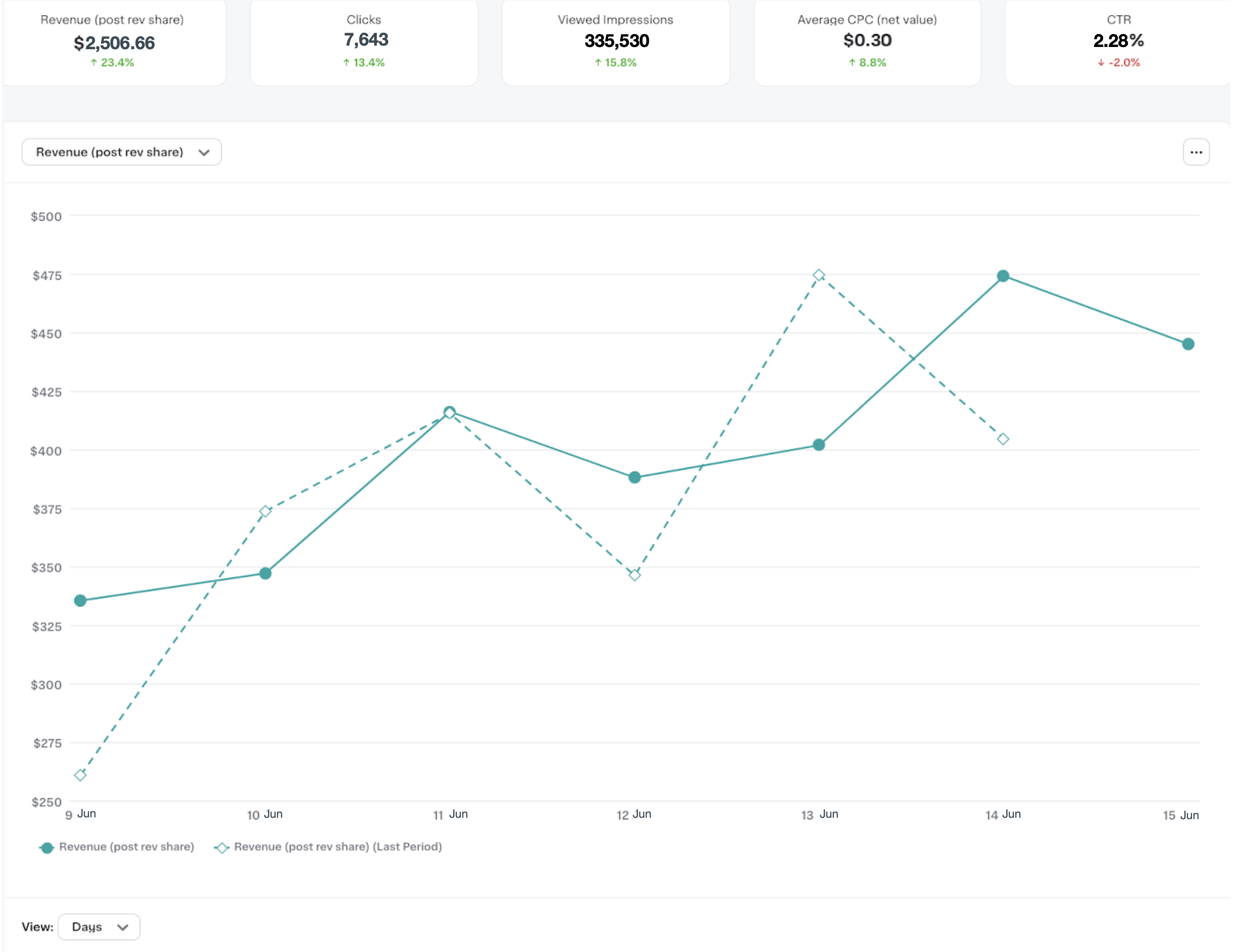
To help you understand the impact of Carrot Ads on your storefront, you can view the metrics that are generated from the ad events you send.
Metrics are generated from Track ad events and Ingest orders. Orders must be ingested within three days of order creation.
Available metrics
| Metric | Description |
|---|---|
| Revenue | The revenue you earned from ad impressions and clicks. |
| Clicks | The number of times customers clicked ads. |
| Impressions | The number of times ads were visible to customers. |
| CTR | Click-through rate, calculated as Clicks / Impressions. |
| Average CPC (net value) | The average revenue you earned each time a customer clicked an ad. |
View and export metrics
You can view metrics on the Ads dashboard in Instacart Platform Portal. For more information, see Ads dashboard.
To export metrics to a CSV file, use the Reports feature. Click Analytics > Instacart managed reports.
The following image shows an example Ads dashboard with fictitious metric data: