Metadata file requirements
The metadata file contains a list of items featured in each store's flyer and the date range when the flyer is displayed on your storefront. This file can also include optional fields for enabling a shoppable flyer experience.
SFTP upload folder
sftp://sftp-partners.instacart.com/flyers
General attributes
| Column | Type | Required | Description | Example |
|---|---|---|---|---|
upc | String | Yes | Identifies the product. Must match the UPC value defined for this product in the catalog. | "00842096100802" |
tag | String | Yes | Describes the type of flyer. | "weekly" |
storenumber | String | Yes | Specifies which store a specific item belongs to. Must match the values defined in your warehouse data. | "1" |
startdate | String | Yes | Specifies when the flyer is visible on your storefront. The timezone is set automatically based on store location. The format is YYYY-MM-DD HH:MM:SS | "2025-05-13 00:00:00" (beginning of the day) |
enddate | String | Yes | Specifies when the flyer is no longer visible on your storefront. The timezone is set automatically based on store location. The format is YYYY-MM-DD HH:MM:SS | "2025-05-20 23:59:59" (end of the day) |
locale | String | No | Specifies the language. Defaults to en_US if not provided. | "en_CA" |
top_deal | boolean | No | Indicates whether this item is a top deal. Specify up to 40 top deals per promotion. When more than 40 items are marked as top deals, the storefront displays only the 40 items with the highest discount percentage. | TRUE |
Shoppable attributes
To enable a shoppable flyer experience, include the following attributes in your metadata file.
| Column | Type | Required? | Description | Example | Customer experience |
|---|---|---|---|---|---|
activityid | String | Yes | Groups related products. Products assigned the same activity ID are displayed within the same "block" on the flyer page. For more information, see Flyers in the Instacart Platform Portal documentation. Work with your IT department and Instacart representative to determine whether any of the attributes you currently use for grouping promotions can also be used as the activity ID. | "20230101_12345" | 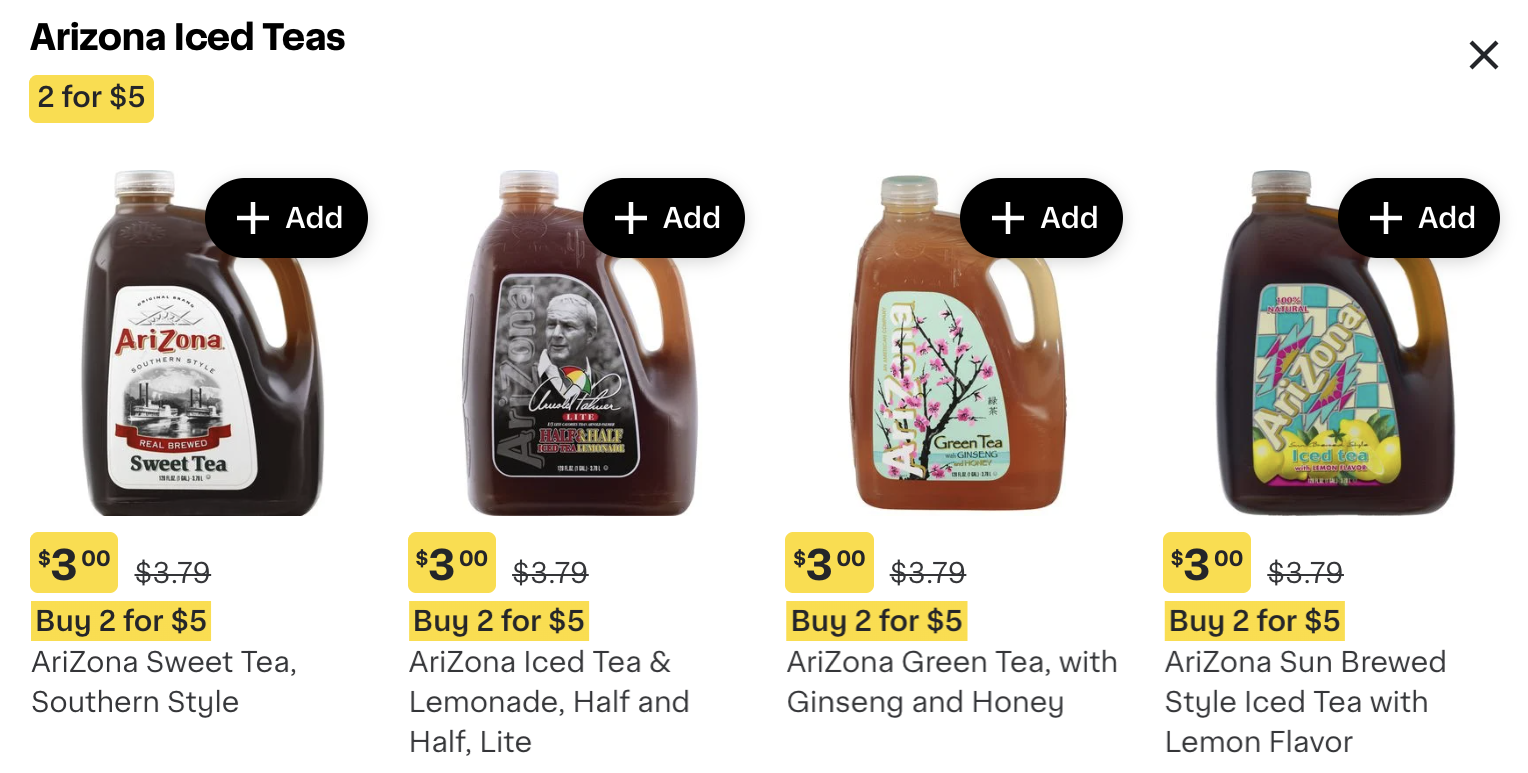 View full image View full image |
pagenumber | Integer | Yes | Specifies the page of the print flyer where this promotion is located. Use this value to help identify top deals. | 1 | |
promotitle | String | Yes | Primary copy for the promotion. This value typically describes the offer or incentive, such as "2 for $5." | "2 for $5" | 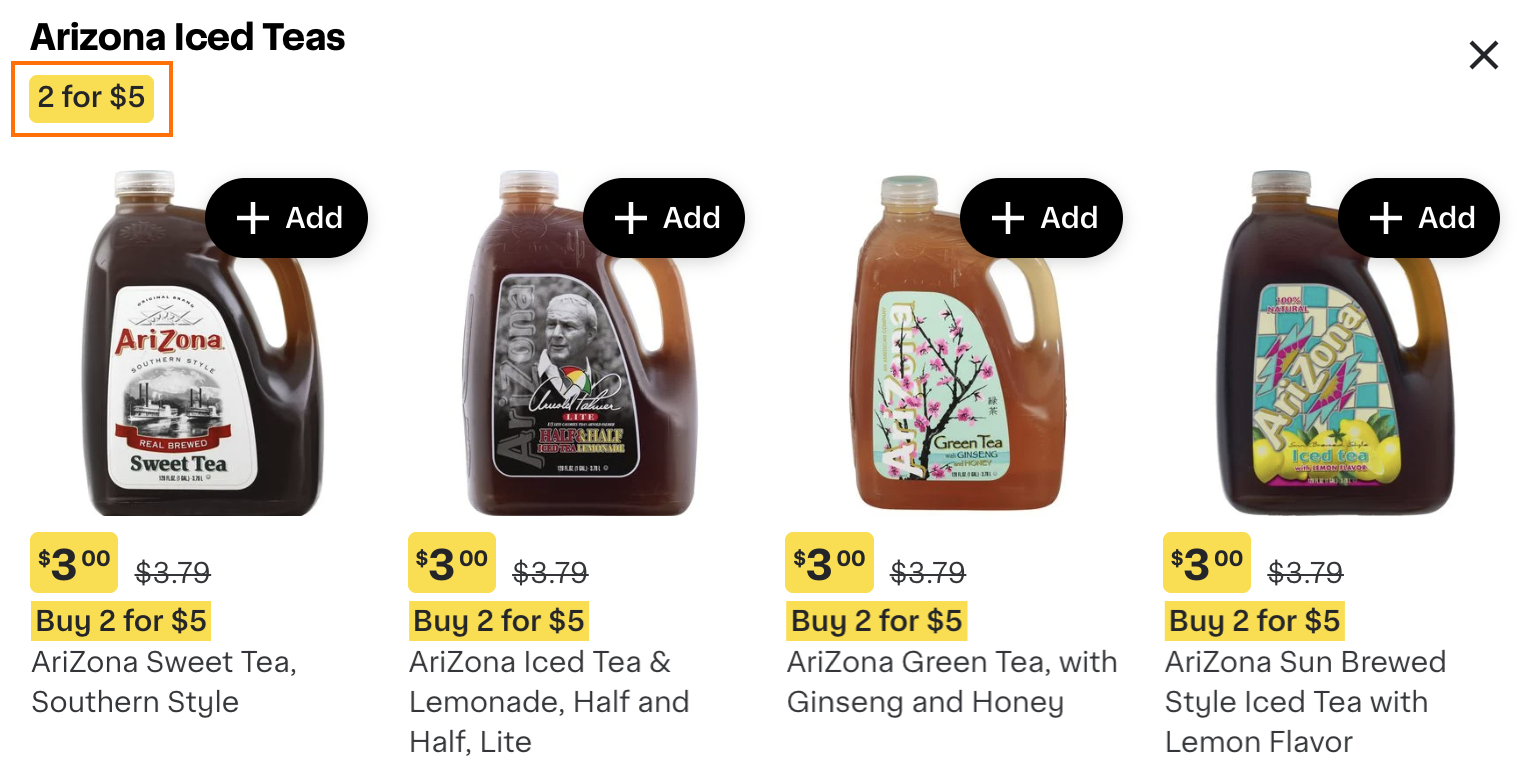 View full image View full image |
promodescription | String | No | Secondary copy for the promotion. This value is typically a description of the eligible items. If you don't provide this value in your data file, Instacart automatically generates a description based on the product names. | "Arizona Iced Teas" | 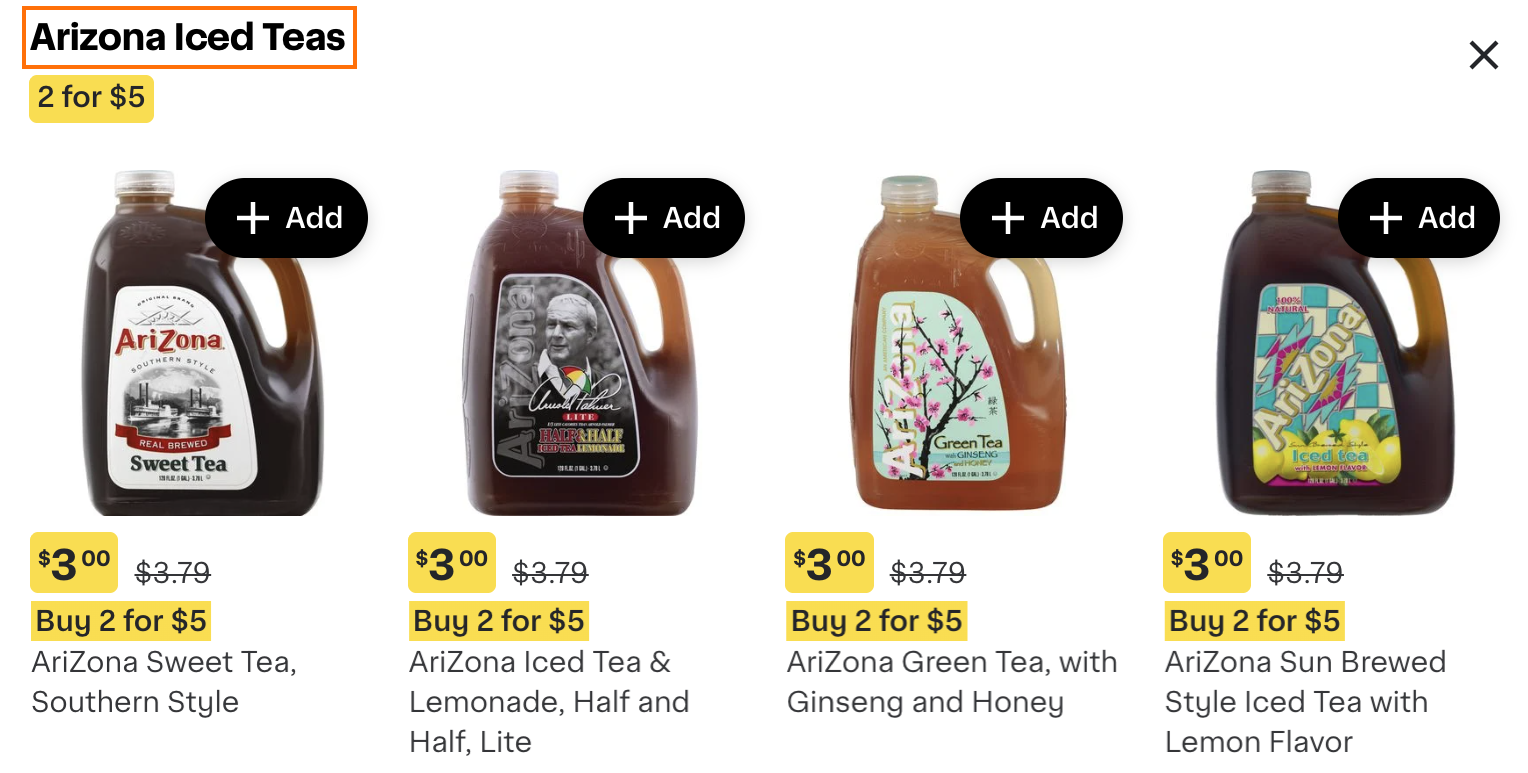 View full image View full image |