Fulfillment
The Fulfillment widgets let customers choose how they want to receive their order: Delivery, Pickup, or In-Store. Use the toggle when you want the three options visible in the header. Use the dropdown when you want a compact control that expands to the same options.
Fulfillment toggle
The Fulfillment toggle widget displays Delivery, Pickup, and In-Store as separate options.
The following image shows an example of the Fulfillment toggle widget:

Use the following custom HTML element to embed the Fulfillment toggle widget:
<instacart-fulfillment-toggle></instacart-fulfillment-toggle>
Fulfillment dropdown
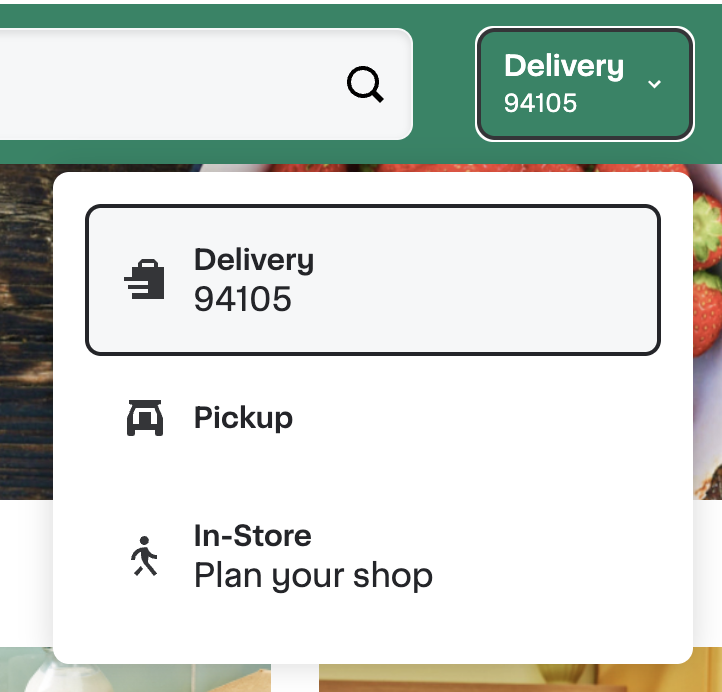
The Fulfillment dropdown widget presents the same fulfillment options in a dropdown. The closed control shows the selected option. For delivery, it can also show a ZIP code.
The following image shows an example of the Fulfillment dropdown widget with Delivery selected:
Use the following custom HTML element to embed the Fulfillment dropdown widget:
<instacart-fulfillment-dropdown></instacart-fulfillment-dropdown>