Footer
With Storefront Pro, the custom footer can contain additional links to expose information outside of a regular shopping journey, such as your store's return policy, social media channels, or cookie preferences.
The footer contains the following components:
- Main footer. Contains section titles and then links within the sections.
- Sub-footer. Contains up to five links, no sections.
- Disclaimer. Contains plain text.
The following images show how the footer appears across different surfaces:
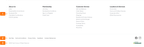
-
For desktop, all footer components appear at the bottom of the page.
-
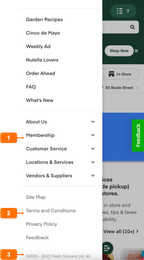
For mobile web, all footer contents appear in the navigation menu.
-
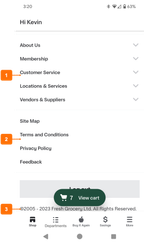
For mobile apps, all footer components appear in the More menu.
To add, edit, or delete footer links, use Instacart Platform Portal. For more information, see Manage footer links.