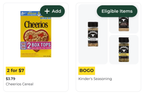
Flyer page
The flyer page is the main entry point for customers to view and interact with flyers. It displays the flyer items based on the selected flyer type.
Page content
The flyer page content varies by flyer type. Digital flyers display as organized product collections, while clickable flyers and browsable flyers show PDF-based layouts with product tiles.
Page entry points
Use Instacart Platform Portal to add links to the flyer page from the following locations:
- Custom header
- Flyer carousels on the custom homepage or a content page
- Shared URL (also known as a deep link)
Example customer journey
A customer in the delivery shopping context wants to find out what's in your flyer.
-
The customer clicks a flyer link in the navigation or View More in the flyer product carousel on the custom homepage.
If you have one flyer available, the customer is directed to the flyer page. If you have multiple flyers, the customer is directed to a page where they can view available flyers and then select the one that they want to browse.
-
The flyer page displays the flyer items based on the selected flyer type.
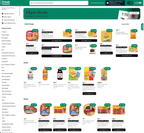
-
The customer browses the flyer.
-
The customer clicks a category to filter the flyer items.
-
The customer interacts with the flyer items in the following ways:
- Clicks a single item tile to view the product details page.
- Clicks a multi-item tile to view eligible items.
- Adds items to their cart or shopping list, depending on the shopping context.