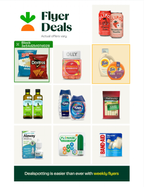
Clickable flyers
With a clickable flyer, the flyer displays as a PDF, which is both expandable and clickable. It shows static pricing in the PDF. You can add multiple flyers to surface weekly or monthly deals, as well as flyer previews. Clickable flyers can't be changed after publication; you need to create a new flyer to update the contents.
Customers can click an item in the flyer to add the item directly to their cart. The behavior of the Add button changes based on the customer's shopping context. With the delivery and pickup contexts, the button adds items to the cart. With the in-store context, the button adds items to the shopping list. For more information, see Shopping contexts.
To create and manage clickable flyers, use Instacart Platform Portal. For more information, see Manage clickable flyers.
The following image shows an example of a clickable flyer: