Search bar
Customers use the search bar to quickly find items that they want to purchase. The search bar includes an autosuggest feature that provides relevant search suggestions to customers after they enter at least three characters.
The following image shows an example of suggestions when a customer types app in the search bar:
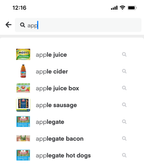
Suggestions are based on a calculated ranking using enhanced Instacart search engine logic. The logic uses data from your Instacart Marketplace storefront plus various factors such as popular products or products with higher sales volumes.
Searches completed on your Instacart Storefront Pro site aren't considered when ranking suggestions.
Thumbnail images
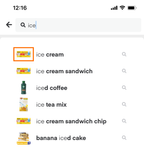
The items in the search suggestions can include thumbnail images to represent the products or categories that best match the search term.
The thumbnail image comes from the product with the most conversions on your Instacart Marketplace storefront. A conversion is counted when a product is added to the cart from the search results page. If the product has at least three conversions, the product's primary image is used as the thumbnail. Otherwise, a generic image is used.
The following image shows an example of suggestions with thumbnail images:
Popular searches
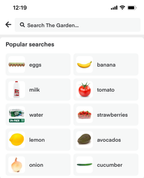
When a customer initially clicks in the search bar, the bar can automatically display popular search terms. When a customer starts inputting text, the popular search terms disappear. Popular search terms are the most searched terms in the last seven days on Instacart Marketplace.
The following image shows an example of popular searches:
Keyword redirects
Keyword redirects add suggestions in the search bar that send customers to any content of your choice. Use keyword redirects to help customers find information outside of the catalog, highlight sales, or direct customers to specific collections.
When creating a keyword redirect, you can set the following properties:
- Keywords. Associate up to 20 keywords. When a customer enters any of the keywords in the search bar, the redirect suggestion appears.
- Effective dates. Schedule the redirect to be active for a set period.
- Redirect URL. Set the redirect destination when a customer clicks the suggestion.
- Text. Set the suggestion text to display in the search bar.
- Thumbnail. Upload a thumbnail image to display in the suggestion.
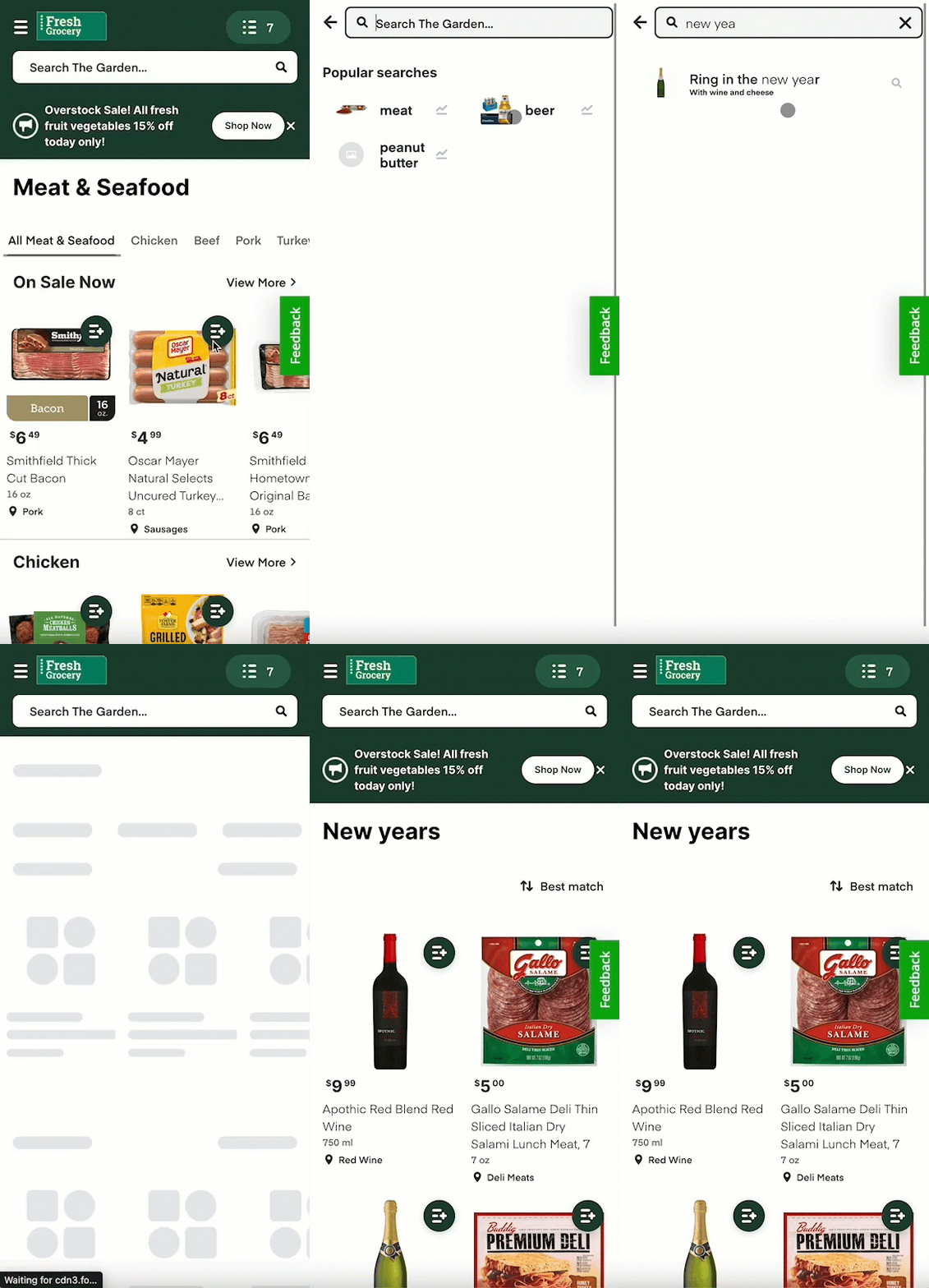
The following animation shows a keyword redirect for the search term new years that suggests Ring in the new year with wine and cheese. When clicked, the customer is directed to a custom New Years collection.
To create keyword redirects, use Instacart Platform Portal. For more information, see Manage keyword redirects.