2026_06_0 Release Notes
Release date: June 30, 2026
The release notes describe changes to Storefront for this release, including new features and enhancements. In addition to these changes, Instacart continually updates the platform to improve accessibility, performance, and stability and to ensure the best user experience for your customers.
Are you using the partner-pick model? Review the Shopper App release notes for recent updates.
New features
The following new features are available in this release.
Restore deleted content pages
You can now recover deleted content pages using a new trash feature that helps prevent accidental deletions. When you delete a content page, a confirmation dialog appears before the page moves to the trash. Deleted pages remain in the trash for 90 days and can be restored by anyone with edit access. Pages older than 90 days are automatically and permanently deleted. To view deleted pages, click the trash icon in the top right corner of the Content pages header.
For more information, see Manage content pages.
FoodStorm packs (Storefront Pro 5)
Retailers using FoodStorm can now sell customizable packs, such as catering and meal bundles, in Instacart Marketplace and Storefront Pro. Packs are configured in the FoodStorm order management system (OMS) and published to your Instacart-powered storefront, where customers can browse and order them alongside regular grocery items.
For more information, see Product details page.
Prompt mobile web customers to switch to your app (Storefront Pro 5)
When customers visit your storefront on mobile web, they now see a prompt encouraging them to download your mobile app. A second prompt appears after checkout. The prompts inherit your theme settings colors from Storefront Branding in Instacart Platform Portal. Previously available to select retailers, this feature is now available to all Storefront Pro retailers unless you have opted out.
Deep linking doesn't work in this environment. If a customer enters the web app from a referral link you sent and then downloads and opens the mobile app, the app opens on the homepage instead of your promotion page. We are confident that the potential lift in revenue more than offsets this tradeoff. However, if you want to opt out of this update, contact your Instacart representative.
For more information, see Added prompts to convert web users to mobile app users.
Enhancements
The following enhancements are available in this release.
Redesigned Instacart Platform Portal navigation
The redesigned Instacart Platform Portal navigation, introduced in R2026_05_0, is now the standard navigation experience. The option to switch back to the classic navigation is no longer available.
For more information, see Redesigned navigation.
Updated coupon browsing experience (Storefront Pro 5)
The coupon browsing experience in Storefront Pro mobile apps has been updated to improve consistency on iOS and Android.
Improved customer suspension appeals
Customers who have their account suspended due to credit card fraud detection can now submit an appeal directly on your storefront instead of being redirected to external forms or emails.
When a customer is suspended, they see a blocking screen explaining the suspension and a prompt to verify their account. They upload identity documents through an identity verification form, then receive real-time status updates (pending, approved, or rejected) without needing to contact support. This process applies to credit card fraud detection only. All other fraud-related account suspensions continue to route through customer support for reactivation.
Based on results from Instacart Marketplace, this improvement is expected to increase customer reactivation rates and reduce the time customers spend locked out of their accounts.
Expanded Creatives performance data in Instacart Platform Portal (Storefront Pro 5)
The Creatives dashboard and the Creatives custom report dataset in Instacart Platform Portal now show performance data for banner, image tile carousel, quick link, and content card creatives. Previously, the dashboard and dataset only showed performance data for banner creatives.
For more information, see Creatives dashboard and Datasets and templates.
Vertical retailer content optimization
Storefront content placements and product recommendations are now optimized for vertical retailers. Previously, storefronts used carousels and recommendations designed for grocery shopping patterns, such as Buy it again, which were not appropriate for vertical retail categories like apparel, electronics, and home goods. Carousels and product recommendations are now tailored to your specific retail vertical.
This enhancement is available for retailers on Storefront. Retailers on Instacart Storefront Pro continue to have access to the full-suite of recommended features.
Item image upgrades on mobile
Instacart has upgraded item image rendering on Storefront mobile apps to match Instacart Marketplace quality. Customers using your iOS and Android apps now see:
- Higher-resolution images on the item card and product details page
- Reduced image file size (~20% smaller), improving load times on mobile
- Improved aspect ratio handling, so images display consistently without cropping or distortion
- Better fallback behavior when a primary image is unavailable
Enhanced product detail page carousels
Product detail pages now display the same carousel recommendations as the Instacart Marketplace, including carousels such as Customers also considered and Items to add next.
Previously, these carousels were powered by a static list. They now use the same underlying system as Instacart Marketplace, which dynamically surfaces relevant organic and sponsored items for each product.
Visual selectors for configurable items
When customers configure items such as cakes, the options for color and style now appear as visual selectors. Color options appear as a grid of color swatches, and style options appear as a grid of image tiles. If visual assets are not available, text is displayed instead. Custom text fields on configurable item pages now also include a profanity filter. These features are available on web, iOS, and Android.
Visual selectors appear automatically when your catalog data includes image or color information for an option. Existing configurations continue to display as text. For more information about configuring your catalog data for visual selectors, see Configurable products.
For more information, see Product details page.
Clearer quantity labels for bananas
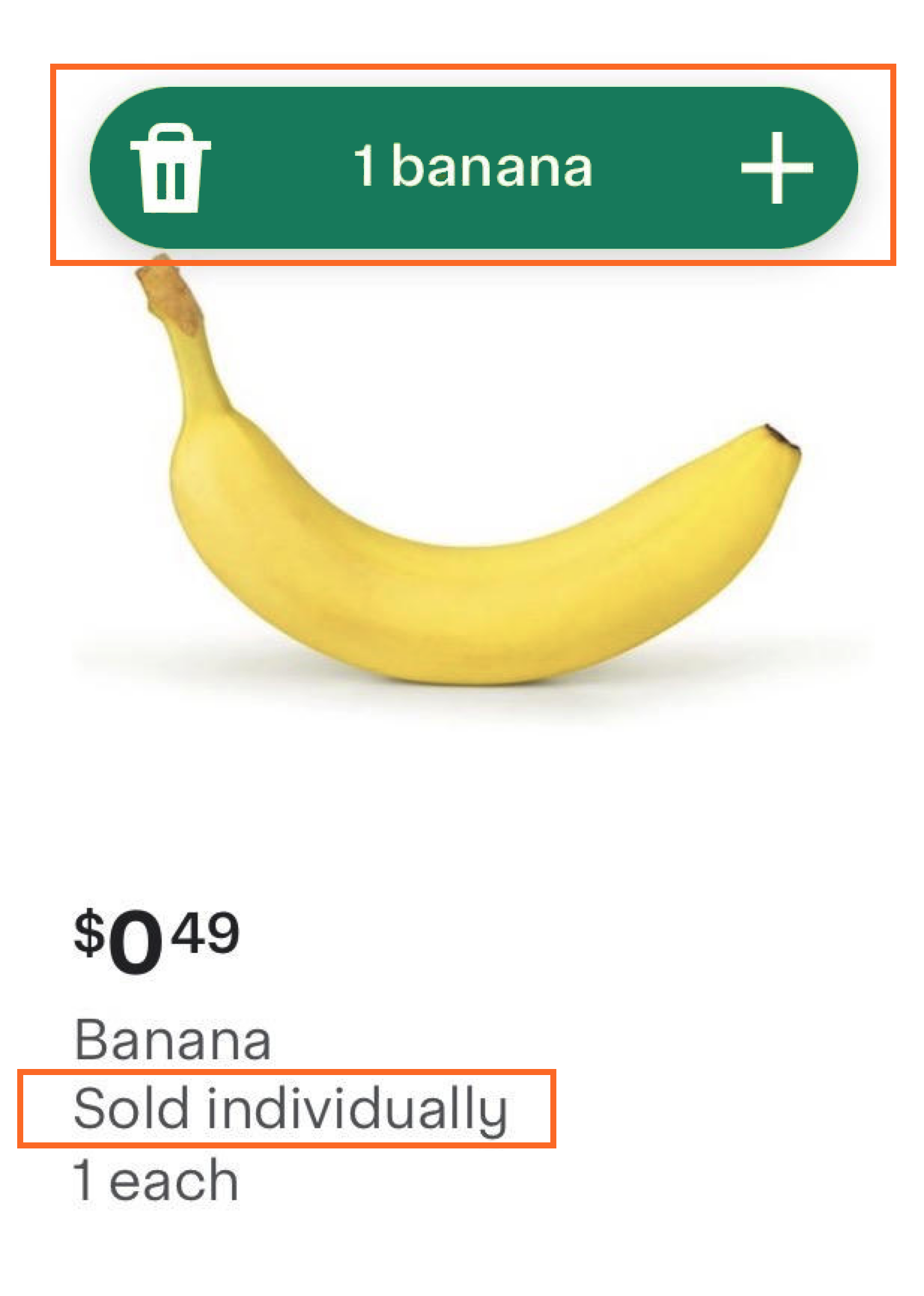
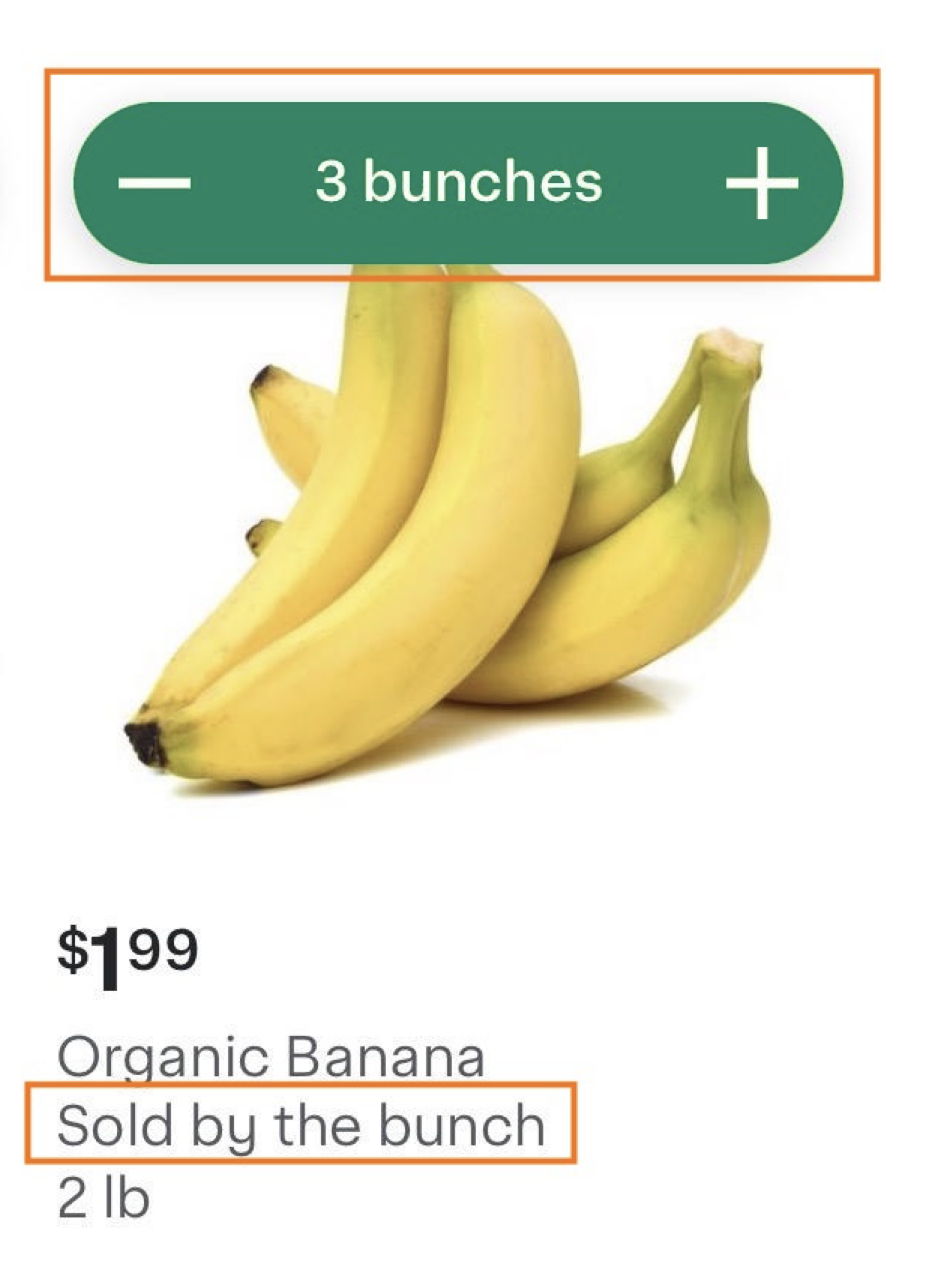
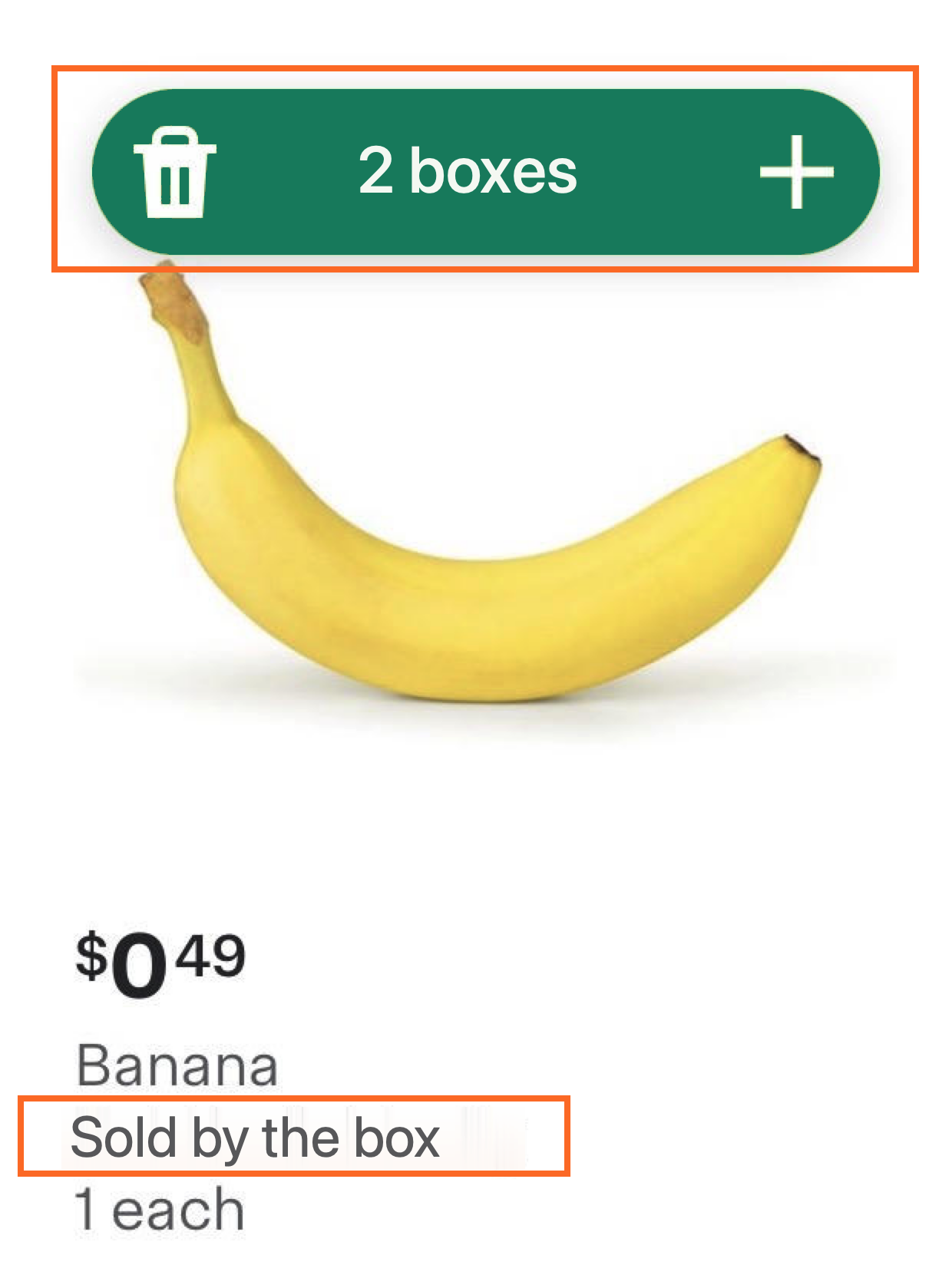
Banana item tiles now display information describing how the item is sold. The quantity icon spells out the unit, such as 1 banana or 1 bunch, instead of showing a bare number. A subtitle below the product name also states Sold individually, Sold by the bunch, or Sold by the box. This information appears on item tiles across your storefront, including home, browse, search results, and Buy it again, as well as on product detail pages. Sold-by information is applied automatically based on catalog data.
If you notice a product image that doesn't match the sold-by label, update the image in your catalog to correct the mismatch.
The following table shows examples of the quantity labels on item tiles:
| Sold individually | Sold by the bunch | Sold by the box |
|---|---|---|
 |  |  |