2026_03_0 Release Notes
Release date: March 31, 2026
The release notes describe changes to Storefront for this release, including new features and enhancements. In addition to these changes, Instacart continually updates the platform to improve accessibility, performance, and stability and to ensure the best user experience for your customers.
New features
The following new features are available in this release.
Offer selector (Storefront Pro 5)
Customers can now view and manage promotional offers at checkout. Customers click Offers and promo codes to see all eligible offers, add or remove applicable offers, and manually enter promo codes. The offer selector provides transparency about which offers are applied, their savings amounts, and progress toward conditional offers.
For more information, see Checkout.
Automated campaigns
Automated campaigns run continuously and reach customers through email and push notifications at key stages of their shopping journey. The following campaign types are available:
- Activation campaigns. Target customers who created an account but have not placed a first order.
- Deep churned campaigns. Target customers who have not placed an order in the last 84 days.
Instacart sets up each campaign with recommended offer values and timing. You can customize the offer type and distribution channels for each campaign, and preview and edit the email and push notification content in Instacart Platform Portal.
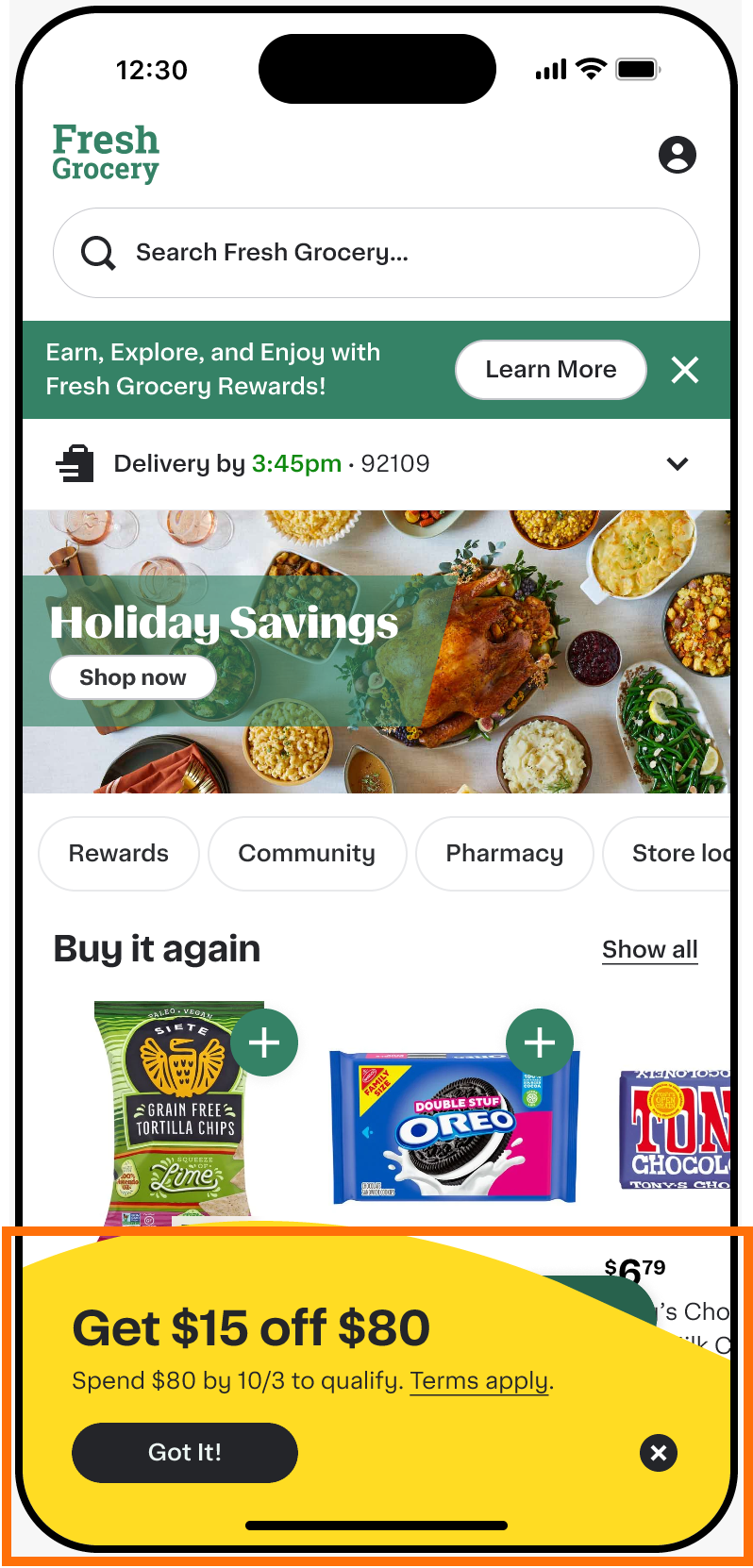
Activation offers are displayed on the Storefront wave, floating cart, and cart tracker, so customers can see and track available offers throughout their shopping experience.
For more information, see Automated campaigns.
Storefront wave
Customers now see a prominent banner on your storefront page that displays available activation offers, such as $0 delivery and cart-level discounts.
The wave is available on mobile web, iOS, Android, and desktop for both logged-in customers and guest users. It works alongside the floating cart and cart tracker to give customers a complete view of available offers and their progress toward redemption.
For more information, see Automated campaigns.
View digital coupons without logging in (Storefront Pro 5)
Customers can now view, filter, and search digital coupons before logging in. Customers must still log in to clip coupons and redeem them at checkout.
This feature is available for retailers who support third-party loyalty provider integrations.
For more information, see Digital coupons.
PayPal app switch
When using PayPal as the payment method on iOS or Android mobile apps, customers who have the PayPal app installed are now automatically redirected to the app for authentication instead of using mobile web authentication. This lets customers authorize payment using their existing PayPal app login. If the PayPal app is not installed, mobile web authentication is used.
This feature is automatically available to all retailers with PayPal enabled as a payment method.
Live order status updates on mobile devices
Customers using your Storefront mobile apps now receive real-time order status updates directly on their device screens without opening the app if they have notifications enabled.
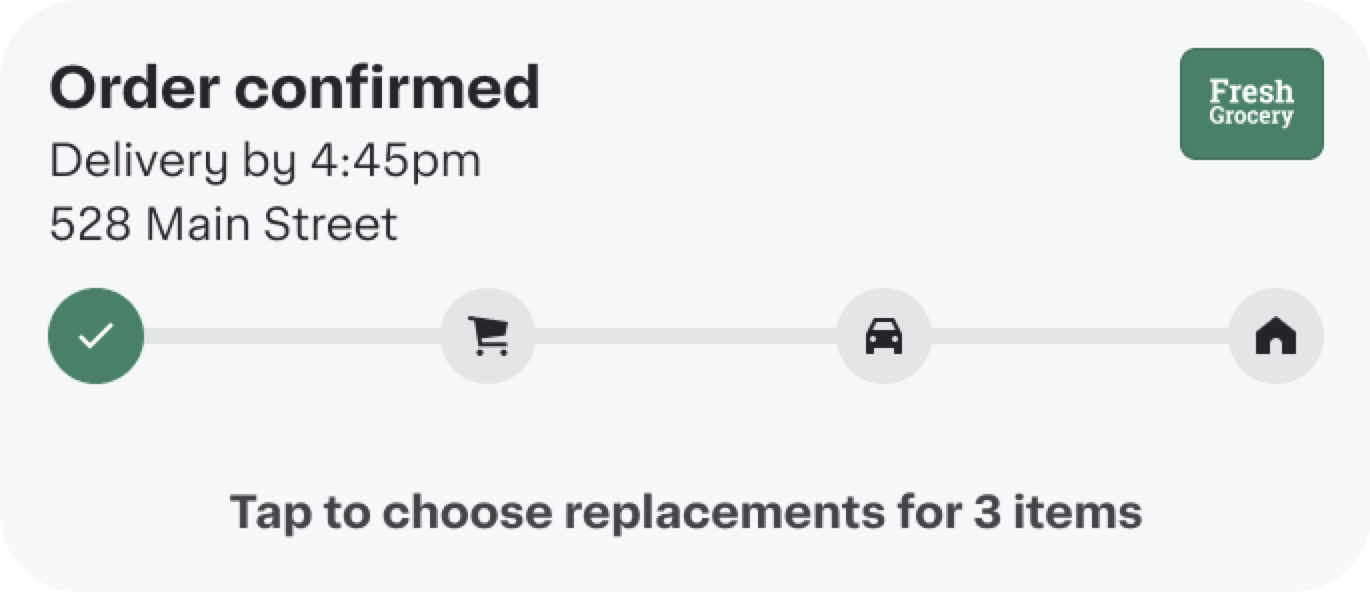
- iOS. Order progress appears on the lock screen, Dynamic Island (iPhone 14 Pro+), and Apple Watch. The display shows a progress bar with order stage icons, your retailer logo, and action buttons for customers to add items or approve replacements.
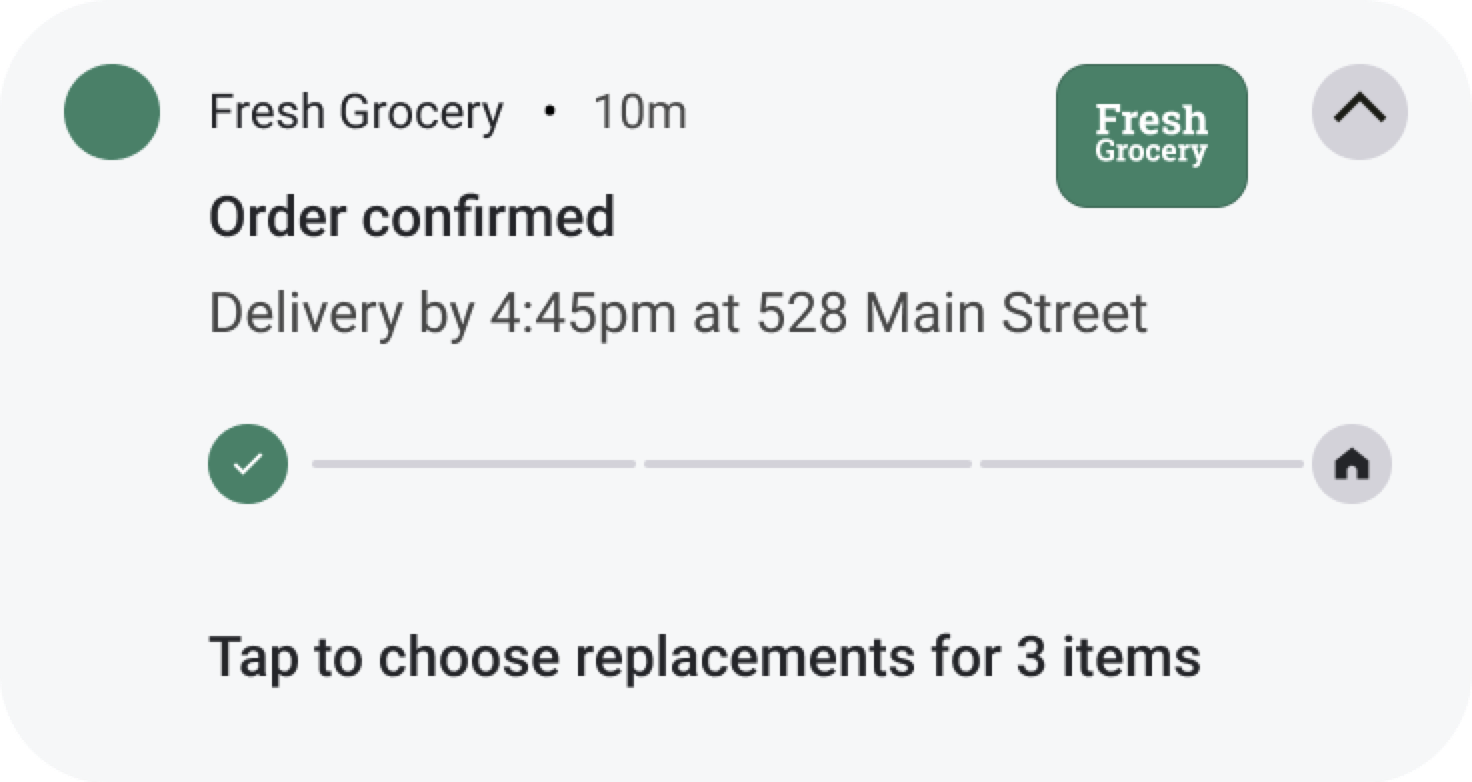
- Android. Dynamic notifications with a progress bar and order stage indicators appear in the notification shade and include your retailer logo and action buttons.
Notifications update automatically as the order moves through each stage, from order confirmation through shopping and delivery.
The following table shows examples of order confirmation notifications on iOS and Android mobile devices:
| iOS | Android |
|---|---|
 |  |
For more information, see Order status page.
Saved rule sets for campaigns
You can now save targeting rule sets and reuse them across multiple Storefront campaigns in Instacart Platform Portal. Instead of rebuilding the same rules for each campaign, you save a rule set once and apply it to future campaigns.
For more information, see Manage saved rule sets.
Enhancements
The following enhancements are available in this release.
Nutrition facts on product detail pages
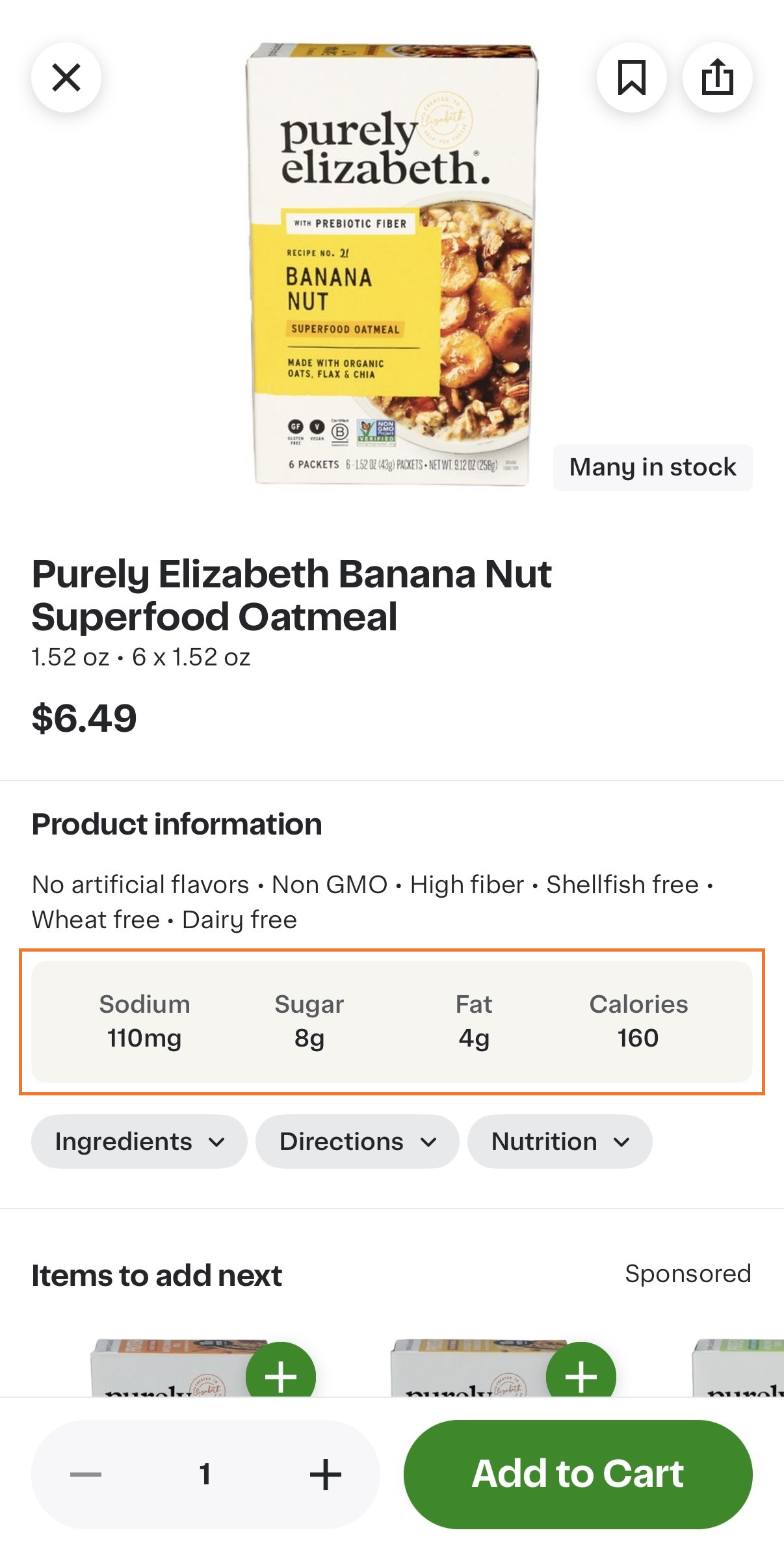
Key nutrition facts–such as calories, sugar, protein, fat–are now prominently displayed on product detail pages, making it easier for customers to evaluate products at a glance. On mobile, customers can tap Nutrition to view the full nutrition facts panel. Key nutrition facts are displayed for the following product categories:
- Pantry
- Dairy
- Frozen Food
- Soda
- Juice
- Protein Drinks
- Sports Drinks
- Energy Drinks
The following image shows an example of the nutrition facts display:
Product nutrition information is provided in the catalog file. For more information, see Nutrition information requirements.
To disable this feature, contact your Instacart representative.
Gift recipients can reschedule gift orders
Gift recipients can now reschedule a gift delivery order to a different date or time from the gift tracking page. Previously, this capability was available only on Instacart Marketplace. This update brings the same rescheduling experience to Storefront and Storefront Pro, providing a consistent experience for your customers across platforms.
For more information, see Gifting.
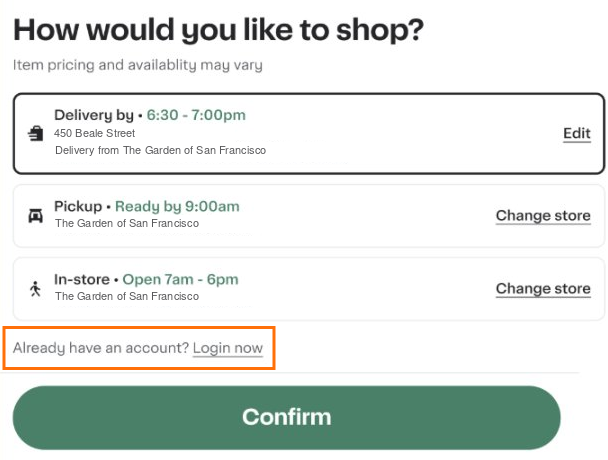
Login option in the store selector modal
Customers who are not logged in can now sign in to their account directly from the store selector modal on desktop web. The modal now includes a login link, allowing customers to log in without navigating away from the modal.
The following image shows an example of the updated modal:
Payment step in Instacart+ trial signup modal
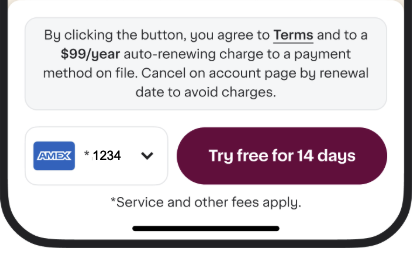
The Instacart+ trial signup modal has been updated to include a payment step, ensuring payment method collection occurs after terms are clearly displayed. Terms are now shown prominently before any payment information is collected.
The following image shows the updated terms display, payment selector, and call to action button:
Discount text on item cards
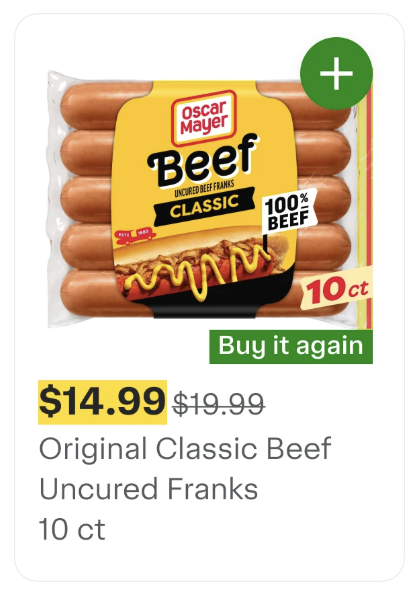
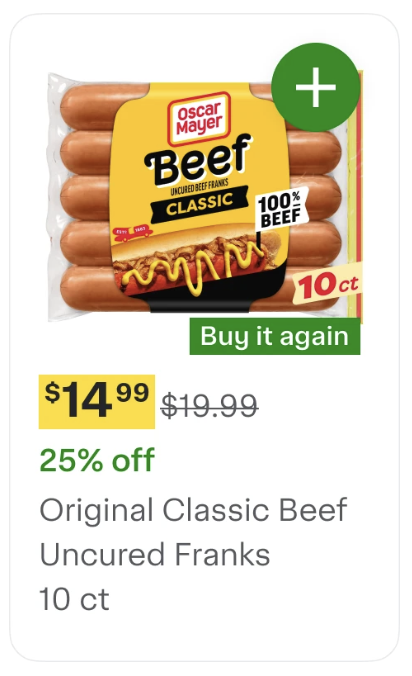
Item cards now display discounts in text below the price, making savings more visible to customers. Previously, discounts were only indicated through strikethrough pricing or yellow promotional badges.
This feature automatically shows percentage-based discounts (for example, "25% off") for items with discounts greater than 5%.
When promotional offers (such as "Buy 1 get 3 free") and discounts both exist on the same item, promotional offers take display priority and the discount text is not shown.
The following image shows item cards with discount text displayed below prices:
| Before | After |
|---|---|
 |  |
Updated Instacart+ membership messaging
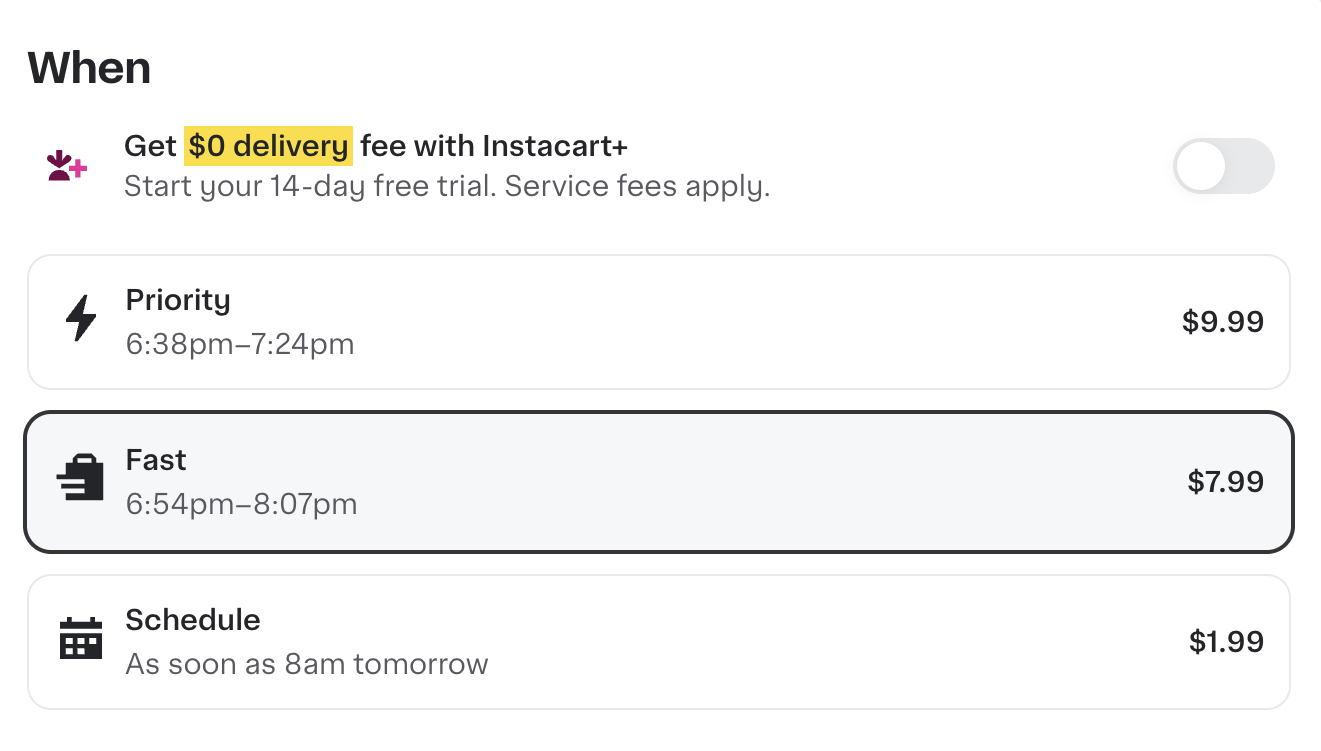
The Instacart+ membership toggle messaging has been updated for compliance purposes. The toggle now displays "$0 delivery fee" instead of "FREE delivery" and includes a "Service fees apply" disclosure. Membership benefits remain unchanged.
The following image shows the updated Instacart+ membership toggle:
Enhanced product variant selection
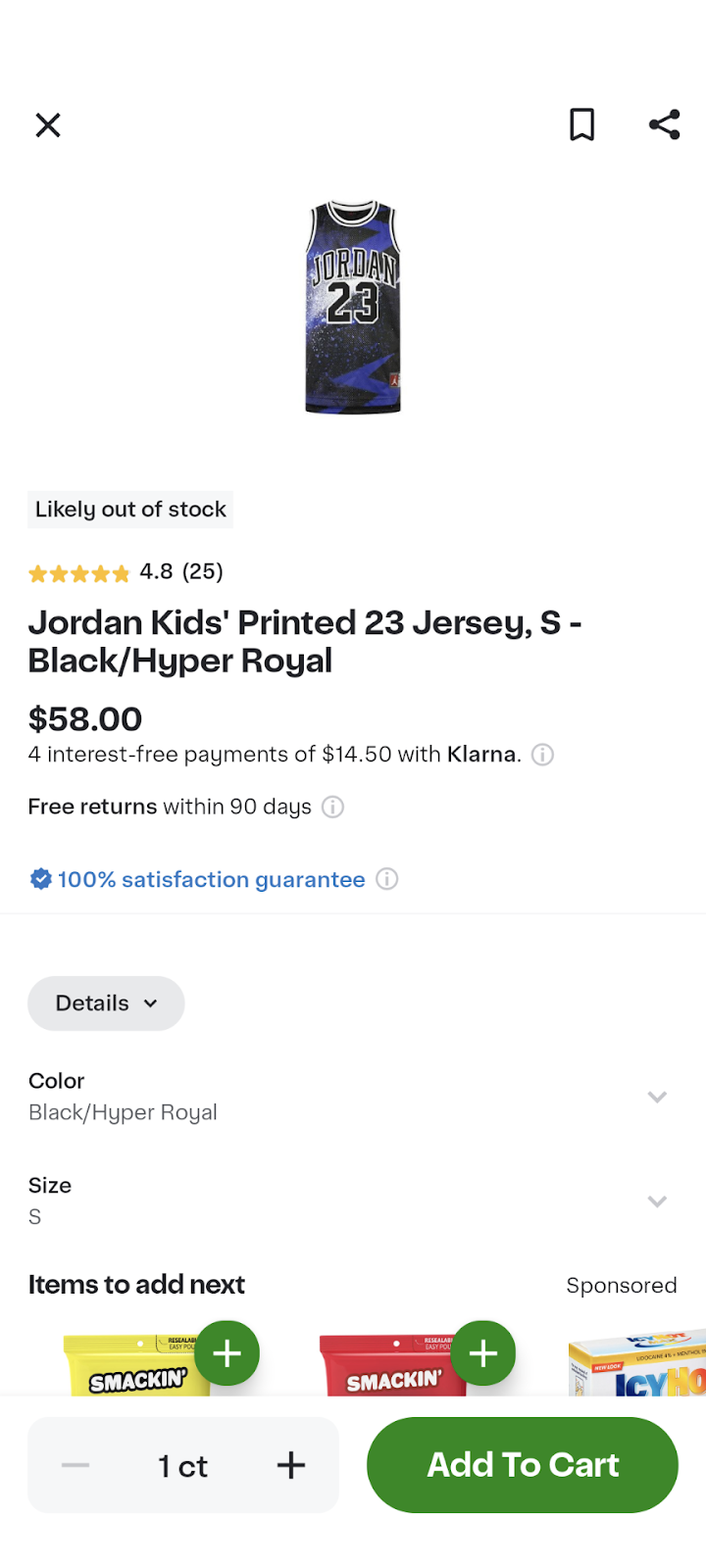
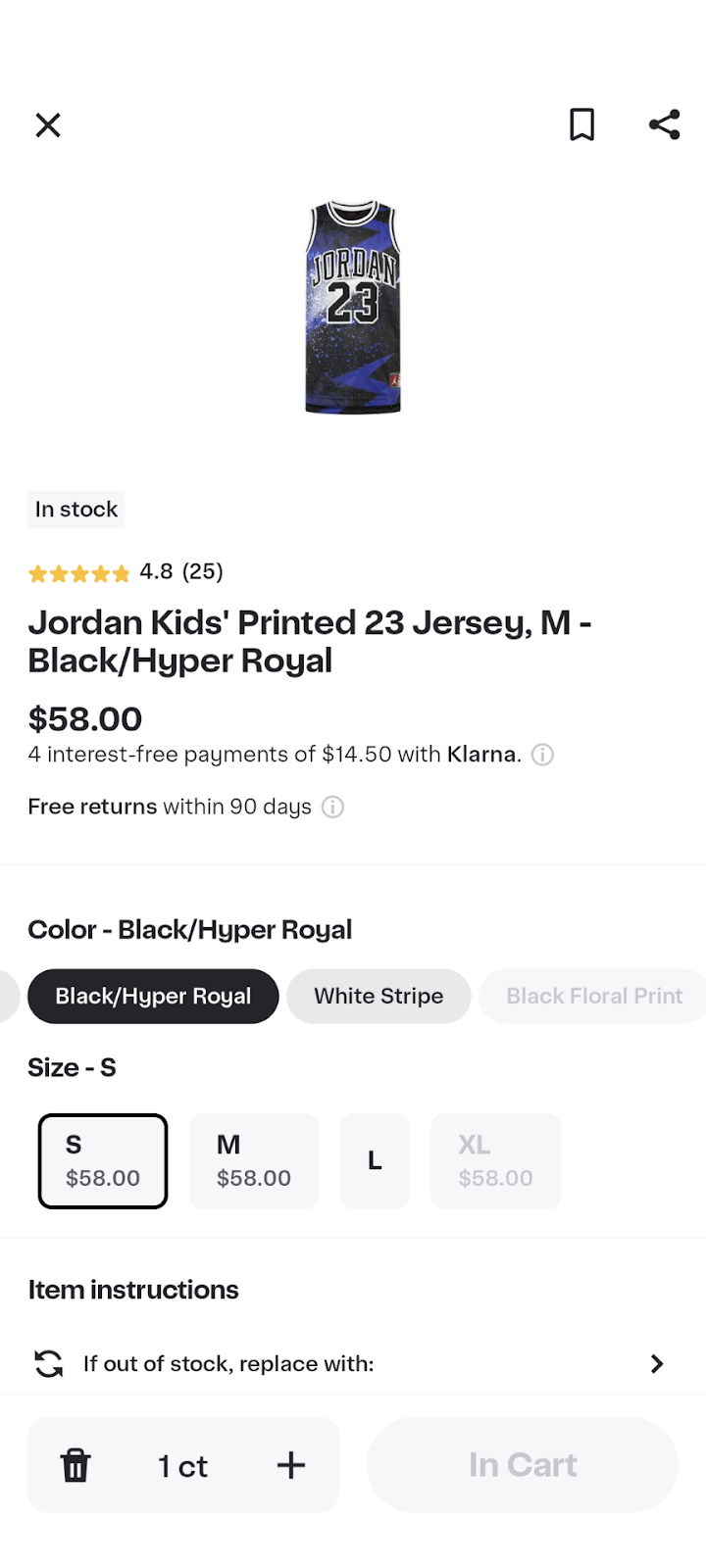
The product variant selection experience on the product details page has been redesigned. Customers can now select product variants, such as different sizes and flavors, using pills and tiles instead of dropdown menus. This update allows customers to select combinations of attributes—like size and flavor together—in a single view. In-stock options display more clearly, and each variant shows correct pricing.
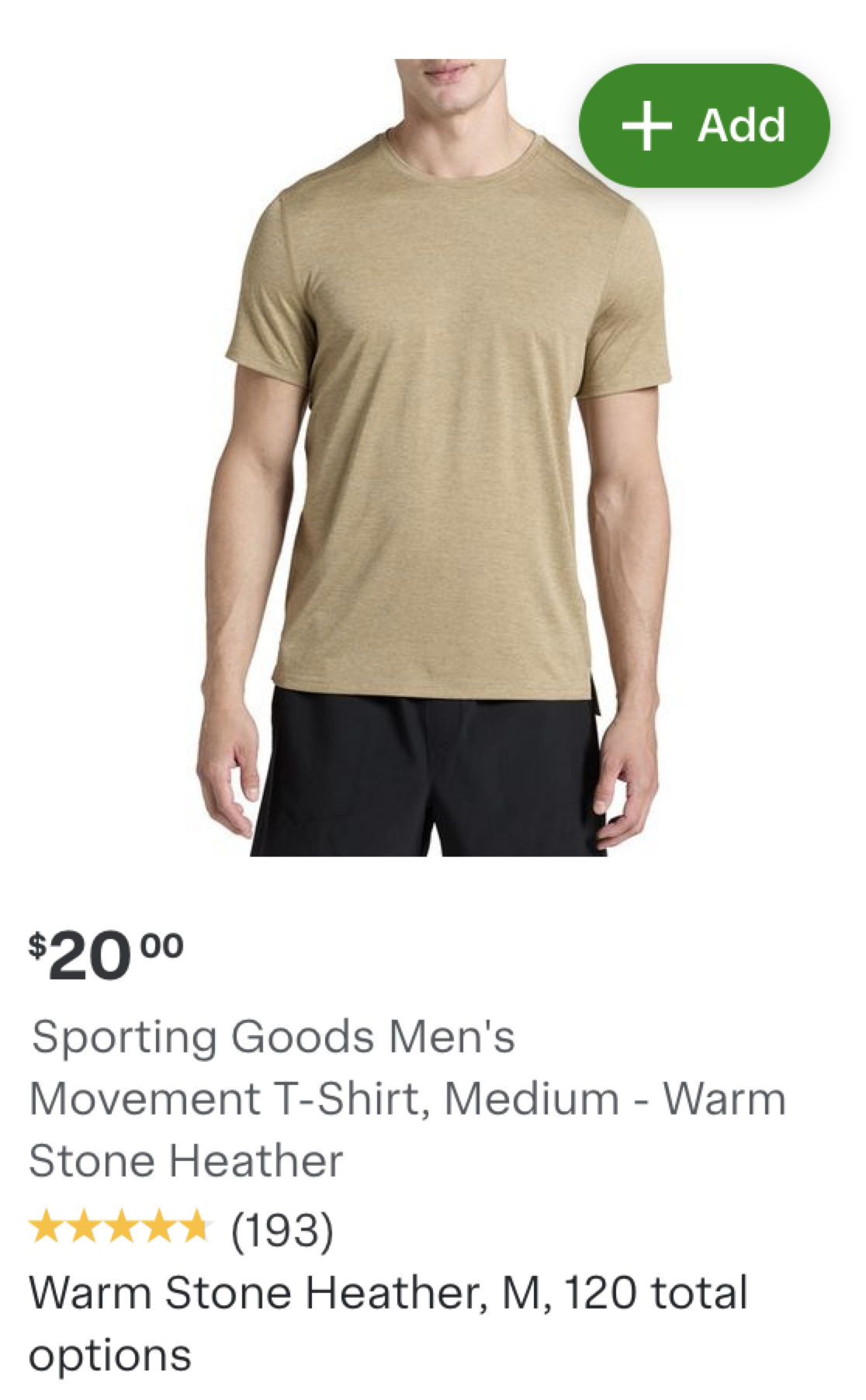
Additionally, item cards now display text indicating how many variants are available (such as "2 sizes"), helping customers quickly identify products with multiple options before viewing the full product details.
The following images show the product details page variant selection experience before and after the redesign:
| Before | After |
|---|---|
 |  |
The following images show the item card variant display before and after the redesign:
| Before | After |
|---|---|
 |  |
Buy It Again: Featured products disabled for time and frequency sort orders
Featured products (sponsored ads) are now disabled when customers sort their Buy It Again list by time or frequency.
Previously, featured product ads displayed regardless of the selected sort order. This meant customers could see ads for items they had not purchased recently while viewing their "Most frequently bought" or "Most recently bought" lists.
Featured products are now disabled for the following sort orders:
- Most frequently bought
- Most recently bought
- Least recently bought
Featured products continue to display in the default "Most Relevant" sort order. This change ensures customers see only their actual purchase history when using time or frequency-based sorting.
For more information, see Buy it again.
Embed external content in custom homepage and content pages
Custom homepage and content pages now support embedded external content, allowing you to display forms, videos, store locators, and interactive widgets on your Storefront Pro home and content pages. You can configure the height and width of embedded content to fit your page layout.
Limitations:
- All URLs must use HTTPS
- Content from your own website works with full functionality
- Content from external websites has restricted permissions for security reasons
To embed external content on your storefront, contact your Instacart representative.
Out-of-stock product redirect
When a customer follows an external link to a product that’s out of stock on your storefront, they’re now redirected to search results for that product instead of seeing an error page.
Improved item ranking
Instacart has updated the model that determines the order of products shown on non-search pages of your storefront. The updated model delivers more personalized recommendations based on each customer's shopping history, increasing basket value and driving higher sales in categories such as paper goods, laundry, pet care, and over-the-counter products.
Business account groups
Business account administrators can now organize team members into groups. Groups allow administrators to apply spend limits and order approval policies to all buyers in a group at once, rather than configuring policies for each member individually. Members can be added to groups in bulk, moved between groups, or assigned to a group at the time of invitation. Group policies override individual settings for members of that group.
For more information, see Business account groups.
Business account transfers
Business account administrators can now invite users from other business organizations to join their organization. When a user accepts the invitation, they are automatically moved to the new organization and removed from their original one. This self-serve feature reduces the need for manual support requests when users need to transfer between business accounts.
To enable organization transitions, contact your Instacart representative.
For more information, see Business account transfers.
Group-based order approvals for business accounts
The order approvals feature for business accounts now supports group-based approval configurations. Administrators can control which approvers are notified and authorized to approve orders for each group. Approvers can only see orders they are authorized to approve in their pending approvals list.
For more information, see Business order approvals.