2026_01_0 Release Notes
Release date: January 27, 2026
The release notes describe changes to Storefront for this release, including new features and enhancements. In addition to these changes, Instacart continually updates the platform to improve accessibility, performance, and stability and to ensure the best user experience for your customers.
New features
The following new features are available in this release.
New discounting offer types (Storefront Pro 5)
The following offer types are now supported with Catalog inventory file promotions:
- Spend $Y on X collection, Get free X item. For example, spend $100 on a cookie collection, get a cookie free. For more information, see Simple collection and Simple offers.
- Multi-group. Buy X from Group A, Get free X from Group B. For example, buy lasagna noodles, get free pasta sauce. For more information, see Complex product + complex offers and Complex offers.
- Buy X, Get % off second X. For example, Buy 1 Every Man Jack product, Get 2nd 50% off. For more information, see Simple collection offers.
For more information about supported offer types, see Promotional offer types and metadata examples.
New digital coupon filter options for improved coupon search (Storefront Pro 5)
When searching for specific digital coupons, a customer can refine their search results by clicking the filter button and selecting one or more options from the filter panel. They can also click a category to view its subcategories for more targeted results.
For more information, see Filter digital coupons.
Flyers dashboard and Custom reports dataset (Storefront Pro 5)
You can now view performance data for your digital flyers in Instacart Platform Portal. The Flyers dashboard shows key performance indicators such as Gross Merchandise Value (GMV) and Orders resulting from a flyer. You can also drill down to view the performance metrics for each flyer. The Flyers dataset is also available in Custom reports to create detailed and downloadable reports.
For more information, see Flyers dashboard and Datasets and templates.
Marketing flyouts in Instacart Marketplace
You can now create marketing flyout placements that appear on your storefront in Instacart Marketplace. You can use flyouts to promote discounts and sales and to attract more customers to your storefront. You can also target flyouts to specific audiences.
For more information, see Manage Marketplace campaigns and Marketplace campaign properties.
Instacart Platform Portal user groups
Roles in Instacart Platform Portal are now called user groups. User groups allow you to assign custom access to groups of people within your organization. The Roles page in Instacart Platform Portal no longer exists and has been moved to the User groups tab on the Users page. This change also involves the deprecation of predefined roles. If you are using predefined roles, those roles are now editable user groups.
For more information, see Manage user groups.
Instacart Platform Portal tool satisfaction survey
You will now see a tool satisfaction survey in Instacart Platform Portal. The survey invites you to give feedback based on your experience using Instacart Platform Portal tools. Your feedback is appreciated and helps to inform future enhancements.
Instacart Connect system health status in Instacart Platform Portal
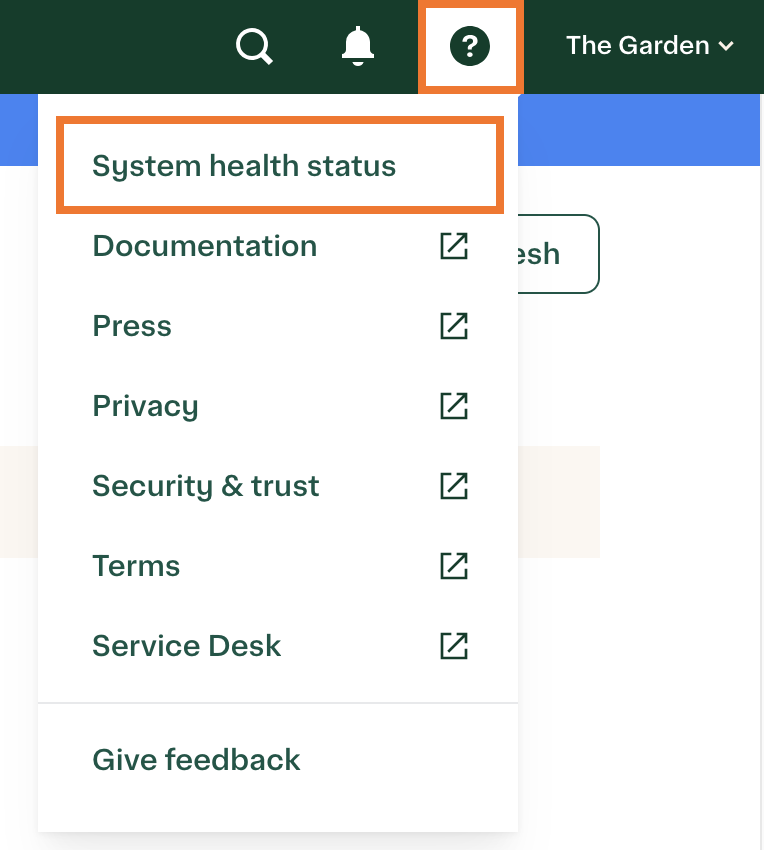
You can now view the system health status of Instacart Connect services in Instacart Platform Portal. When an issue occurs, the System status page displays an update of the affected services until the issue is resolved. To view the page, click System health status in the help menu in Instacart Platform Portal.
The following image shows the System health status button:
Enhancements
The following enhancements are available in this release.
Updates to Supplemental Nutrition Assistance Program (SNAP) Electronic Benefits Transfer (EBT)
Customers who participate in the Supplemental Nutrition Assistance Program (SNAP) can now add items to an order after checkout when shopping on an Android mobile device. This update brings the Android mobile app experience in line with the web experience.
For more information about SNAP EBT, see SNAP EBT.
Improved search results
We made the following enhancements to search in this release:
- Improved relevance for attribute queries. We've further improved the relevance of the attribute matching that was updated in the previous release. For more information about attribute matching, see the 2025_11_0 Release notes.
- Improved matching for brand name searches. When searching for brands, the search now matches spelling variations and brand or sub-brand relationships to help ensure all the brand's relevant product range is returned.
- Improved ranking by price. The price used for ranking search results now includes potential discounts on items, such as loyalty, coupon, or retailer discounts. This change prioritizes value for the customer.
Consolidated order tracking page for gifting
A new unified order tracking page has been created for unauthenticated users. The gift recipient page has been consolidated into this new page, replacing the previous gift recipient experience. This update improves page load times and aligns the unauthenticated user experience with the order status page.
Improved checkout performance on iOS
Improved the latency and stability of the checkout experience on iOS.
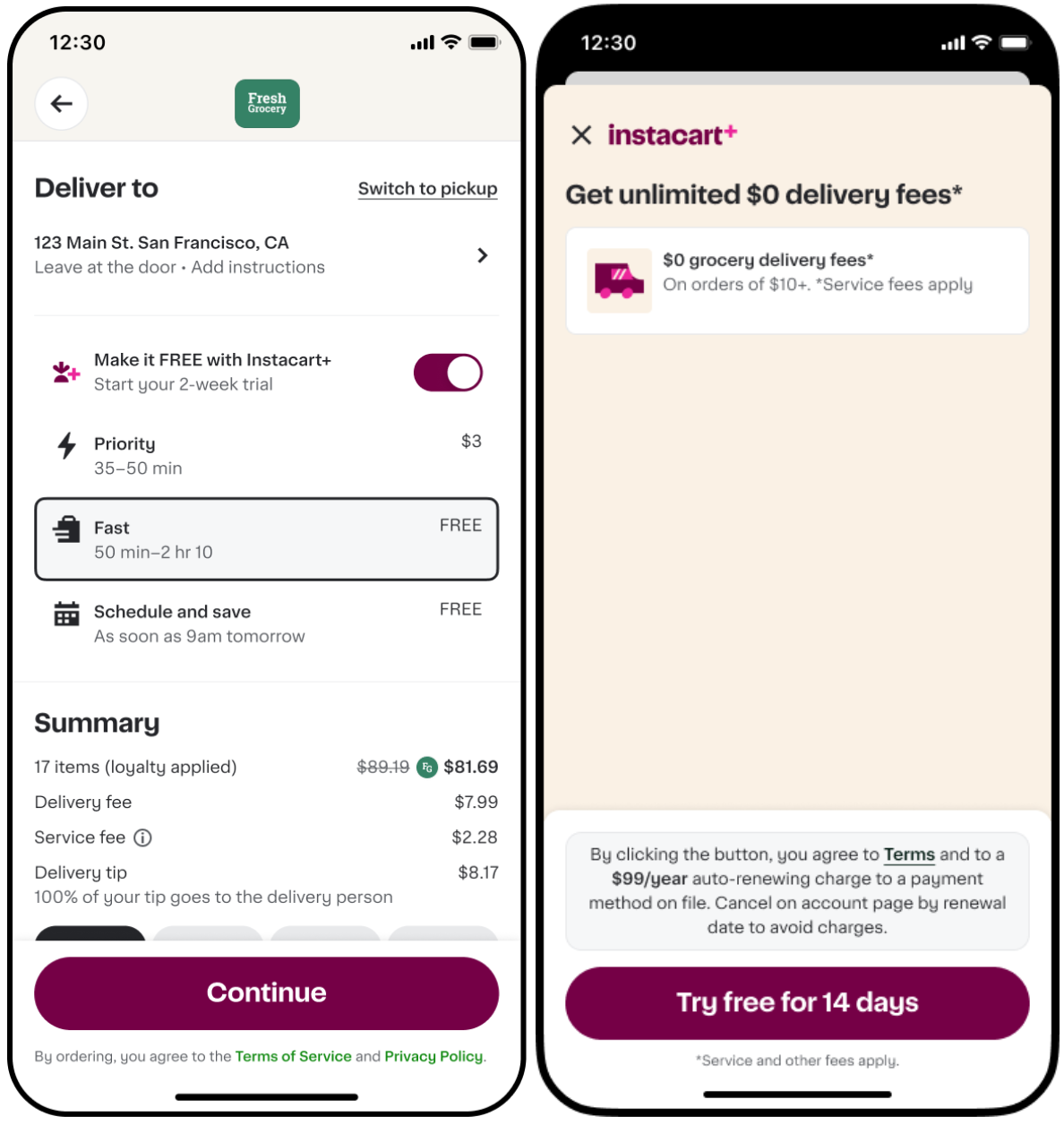
Instacart+ membership toggle nudge on first applicable order
The Instacart+ membership toggle is enabled by default at checkout for new customers who meet all of the following criteria:
- Have used up any new-user $0 delivery incentives
- Are eligible for an Instacart+ trial
- Are completing their first order that would incur a delivery fee
When the customer clicks Continue, a sign-up modal appears that clearly presents the program benefits and terms for affirmative consent. If the customer declines, the toggle remains off for future sessions.
The following image shows the membership toggle and sign-up modal at checkout:
For more information, see Checkout.
Improved order status banner
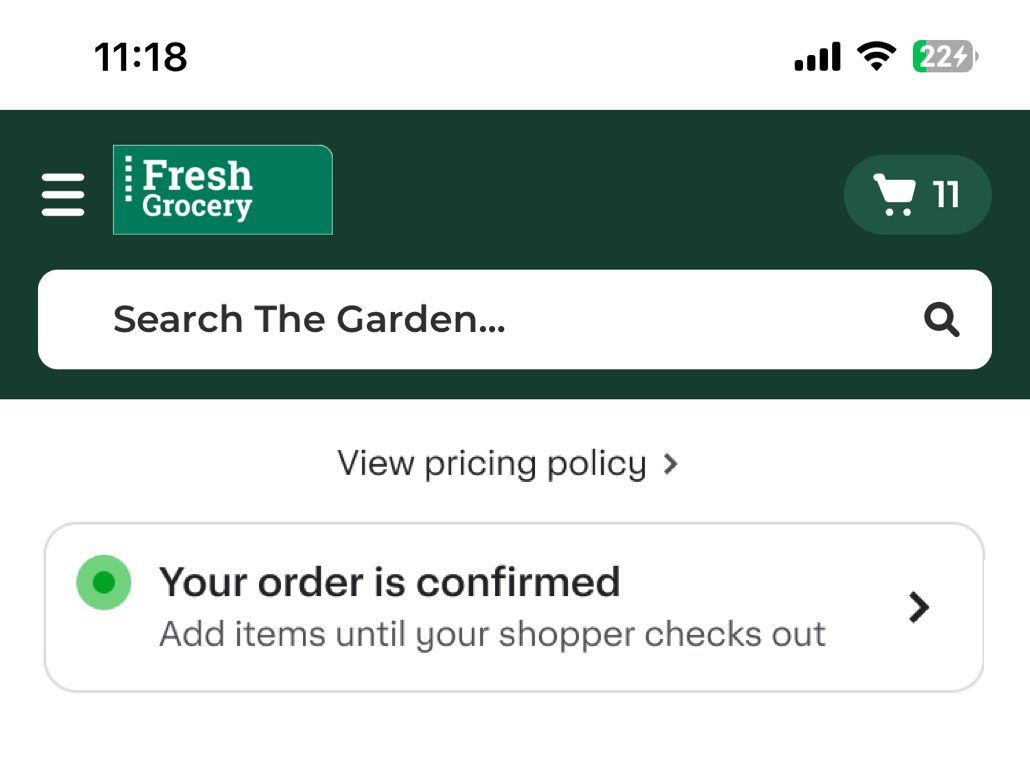
The order status banner now displays real-time updates as orders progress through fulfillment. The banner shows whether customers can add items to their current order or if that window has closed. This update eliminates confusion about whether new items are added to an existing delivery or start a new order. The banner links directly to the Order Status Page for full order details.
Previously, the order status banner displayed static messaging that didn't update based on order status.
The following image shows an example of an order status on mobile browser:
For more information, see Order status banner.
Improved granularity for business order exports
Retailers can now export detailed, item-level data across multiple business orders in a single CSV file. This improvement allows comprehensive spend analysis and reporting for business account users.
Benefits:
- Granular spend visibility. View every item purchased across selected orders, including product details, pricing, and quantities.
- Enhanced analytics. Track spending trends by category, department, brand, or user/role.
- Simplified compliance. Easily monitor alcohol purchases and tax-sensitive items.
- Substitution insights. Analyze replacement patterns to optimize inventory and ordering decisions.
- Bulk reporting. Replace manual PDF downloads with automated CSV exports delivered via email.
For more information, see Business accounts.
Improved pickup category display at checkout
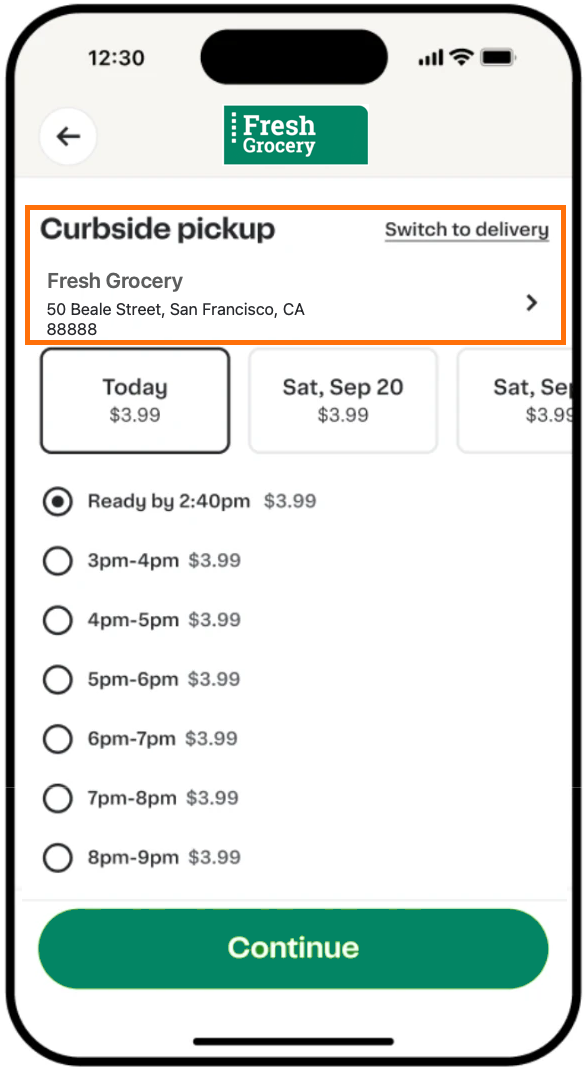
During checkout, customers see a clear label indicating whether their pickup is curbside or in-store, alongside their selected store and time slot. This information appears consistently across all platforms.
The following image shows an example of the updated pickup display at checkout on a mobile app:
For more information about the pickup display at checkout, see Pickup order details.
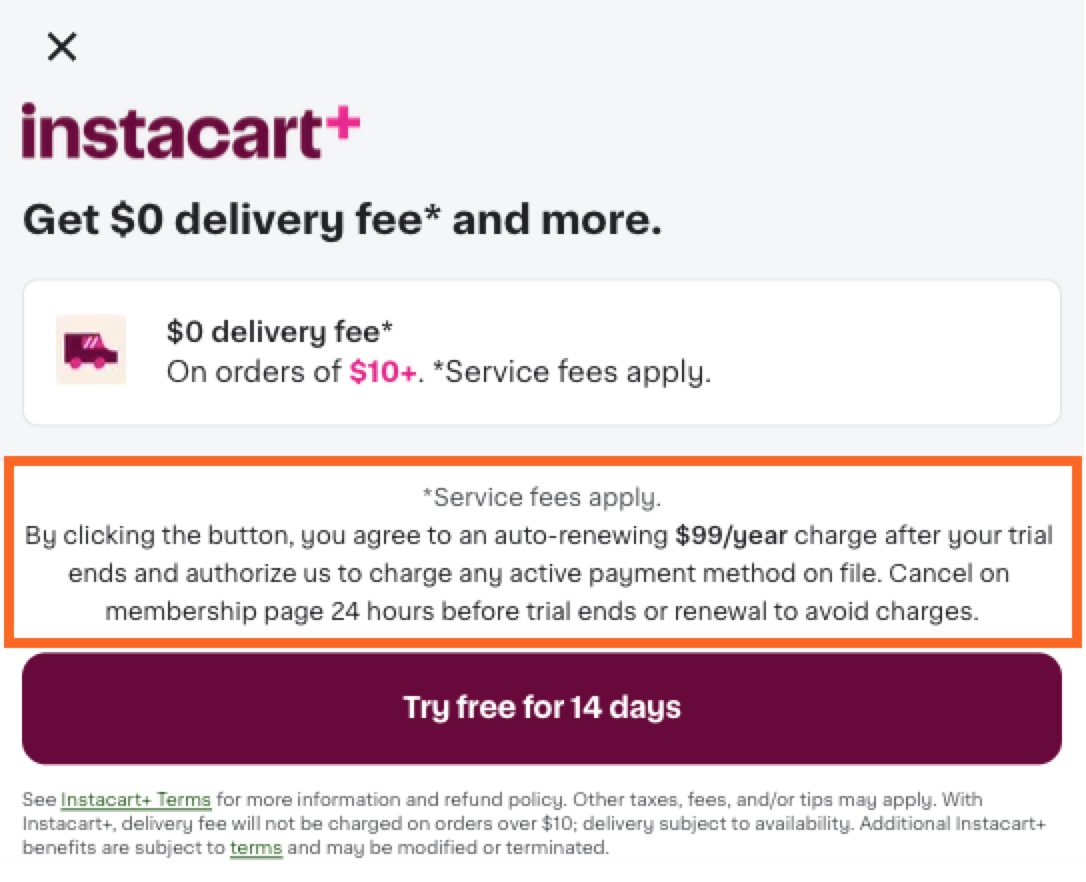
Clearer payment details on Instacart+ signup modal
The Instacart+ membership signup modal now displays payment details above the call-to-action button, improving transparency and readability for customers.
The following image shows an example of the Instacart+ membership modal with the added payment details:
For more information about Instacart+, see Instacart+.
Redesigned shopping context selector
The updated context selector is now available on mobile web platforms. The updated selector was previously only available in mobile apps.
The new context selector takes up less space, making shoppable items more prominent. The selector also provides clearer fulfillment details, including delivery estimates, pickup windows, and store information.
For more information, see Redesigned shopping context selector for mobile devices.