Dashboard
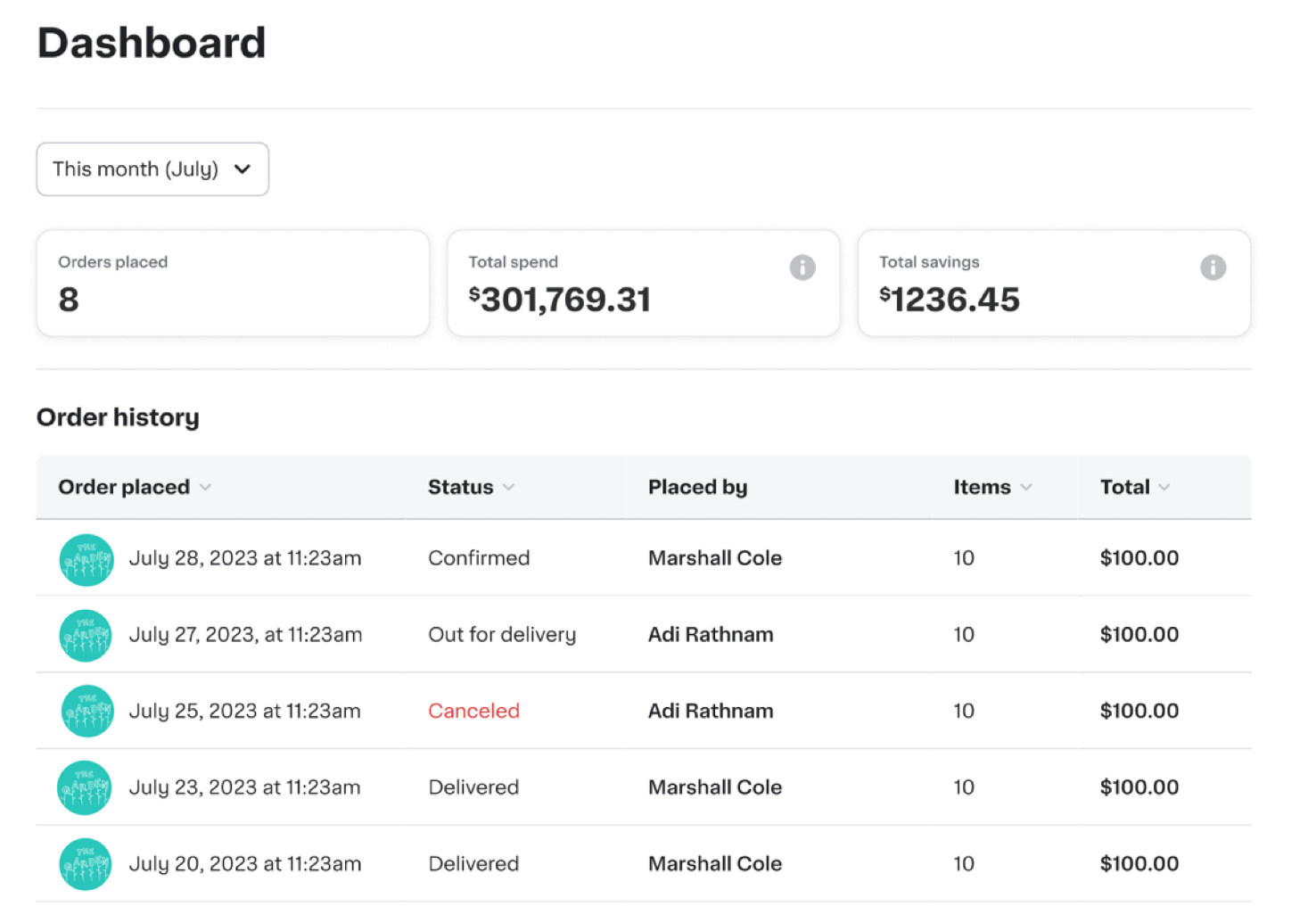
Business administrators can track and manage business spending from the dashboard.
The following image shows the business account dashboard:
Order and receipt exports
Administrators can export receipts and order summaries from the dashboard or order history page. When exporting order history, administrators can filter by group to analyze spending for a specific group. Administrators can elect a specific group from the Group dropdown to include only orders from members of that group, or select All groups to include orders from all groups. Group filtering is based on the group the member belonged to when the order was placed. If a member moves to a different group after placing an order, their historical orders are not reassigned to their new group.
The following image shows the Export order data screen:

Order summary output
The following table describes data that is exported from the order summary:
| Column Name | Description |
|---|---|
| The customer's email address. | |
| Date | The date and time when the order was placed. |
| Store | The name of the store fulfilling the order. |
| Items | The total number of items in the order. |
| Ordered by | The name of the person who placed the order. |
| Delivered to | The full delivery address, for example, street, city, state, and ZIP or postal code. |
| Amount | The total amount charged for the order. |
Order and item details output
The following table describes data that is exported from the order and item details:
| Column Name | Description |
|---|---|
| The customer's email address. | |
| Delivery Address | The street address for the delivery. |
| Delivery City | The city for the delivery address. |
| Delivery State | The state or province for the delivery address. |
| Delivery Zip Code | The ZIP or postal code for the delivery address. |
| Handoff Type | The method of delivery, for example, doorstep, hand-off, or pickup. |
| Store Name | The name of the store fulfilling the order. |
| Order Type | The type of order, for example, delivery or pickup. |
| Order ID | The unique identifier for the order. |
| Order Item ID | The unique identifier for the line item within the order. |
| Status | The current status of the order item, for example, ordered, picked, delivered, or refunded. |
| Item ID | The unique identifier for the product in the catalog. |
| Substituted By | The identifier of the item that was substituted in. |
| Substitute For | The identifier of the original item that was replaced by a substitute. |
| Delivery Created At | The timestamp when the delivery was created. |
| Delivered At | The timestamp when the order was delivered. |
| Item Name | The customer-facing name of the product. |
| Brand Name | The brand or manufacturer of the product. |
| Aisle Name | The store aisle where the product is typically located. |
| Department Name | The store department the product belongs to. |
| L1 Category Name | The top-level product category, for example, broadest classification. |
| L2 Category Name | The second-level product category, which is more specific than the top-level category. |
| L3 Category Name | The third-level product category, which is most specific. |
| Product Category Name | The broader category that the product belongs to. |
| Size | The product size or unit description, for example, "16 oz", or "1 lb". |
| Cost Unit | Unit of measure for pricing, for example, "each", "lb", or "oz". |
| Alcoholic | Indicates whether the product contains alcohol. |
| Ordered Quantity | The number of units originally ordered by the customer. |
| Picked Quantity | The number of units actually picked/fulfilled. |
| Ordered Weight | The weight originally ordered. |
| Picked Weight | The actual weight picked/fulfilled. |
| Unit Price | The price per unit. |
| Total Price | The total price charged for this line item after adjustments. |
| Currency | The currency code for the prices, for example, "USD". |