Business settings
Administrators can use business settings to update their business details, set custom fields for checkout, or manage tax exemptions.
Custom fields
Administrators can create custom fields that appear for team members during checkout. These fields help categorize orders for tracking purposes. The collected data appears in the dashboard and exported reports.
When creating custom fields, administrators can define the following:
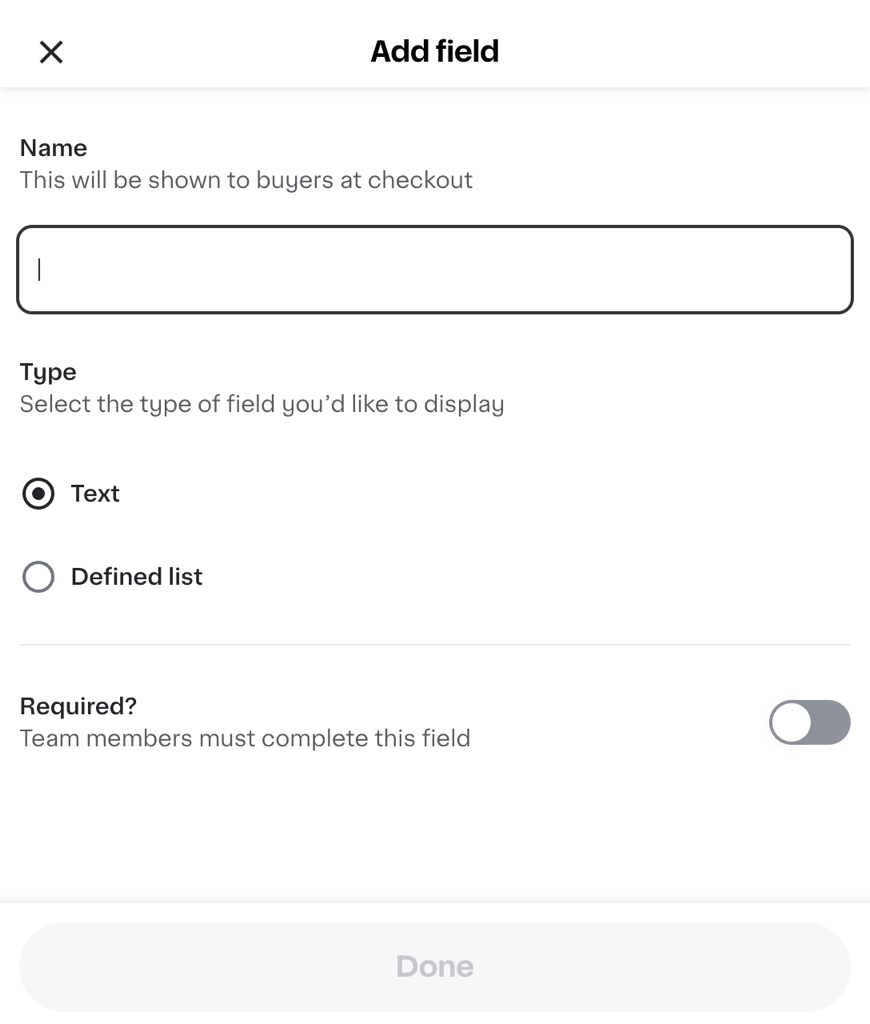
- Name. The name of the field. This name is not shown to team members at checkout.
- Type.
-
Text. A text box where team members can enter any information. This field can be marked as required.
-
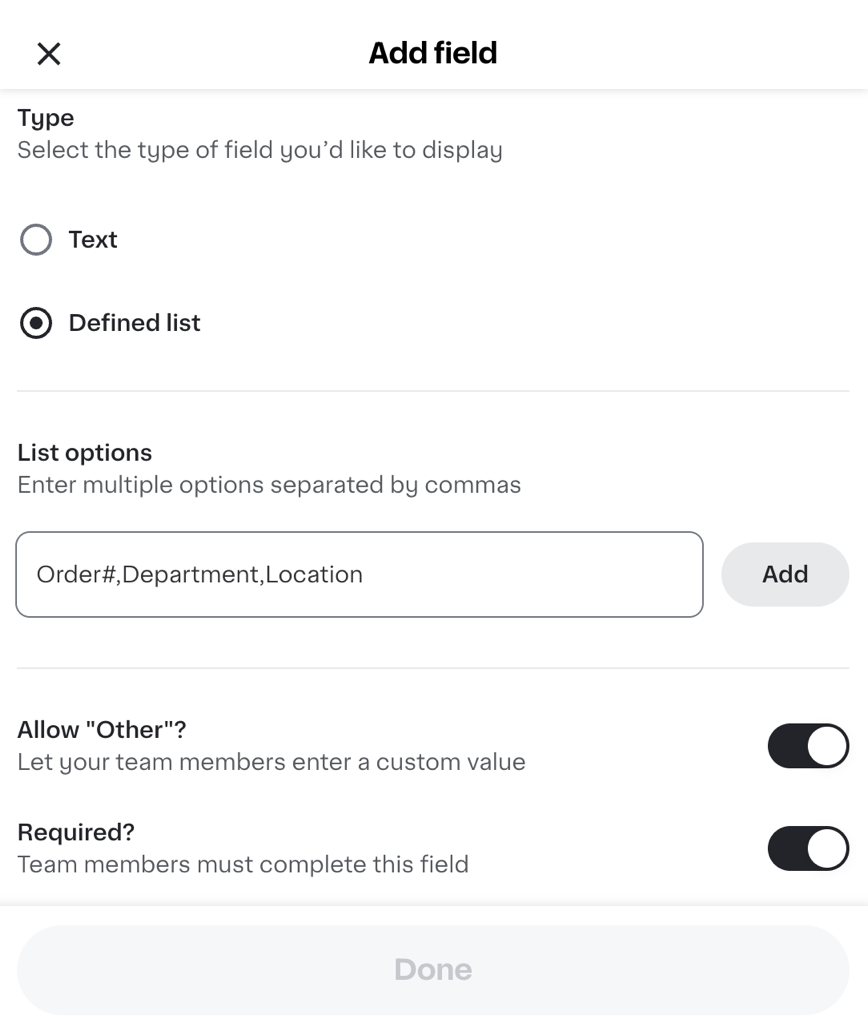
Defined list. A list of options for team members to choose from. This field can be set as required. Administrators can also set this field as "Other," where team members enter a custom value.
-
When a team member checks out, they can provide information from the Business order details tile. If a team member doesn't view the business order details and there are required fields, they are prompted to update the order details before proceeding through checkout.
Tax exemption
Many types of businesses are exempt from sales tax when buying for business-related purposes. Administrators can submit forms and supporting documents to identify their tax exemption category by state. After Instacart validates the forms, applicable taxes aren't charged on eligible orders.
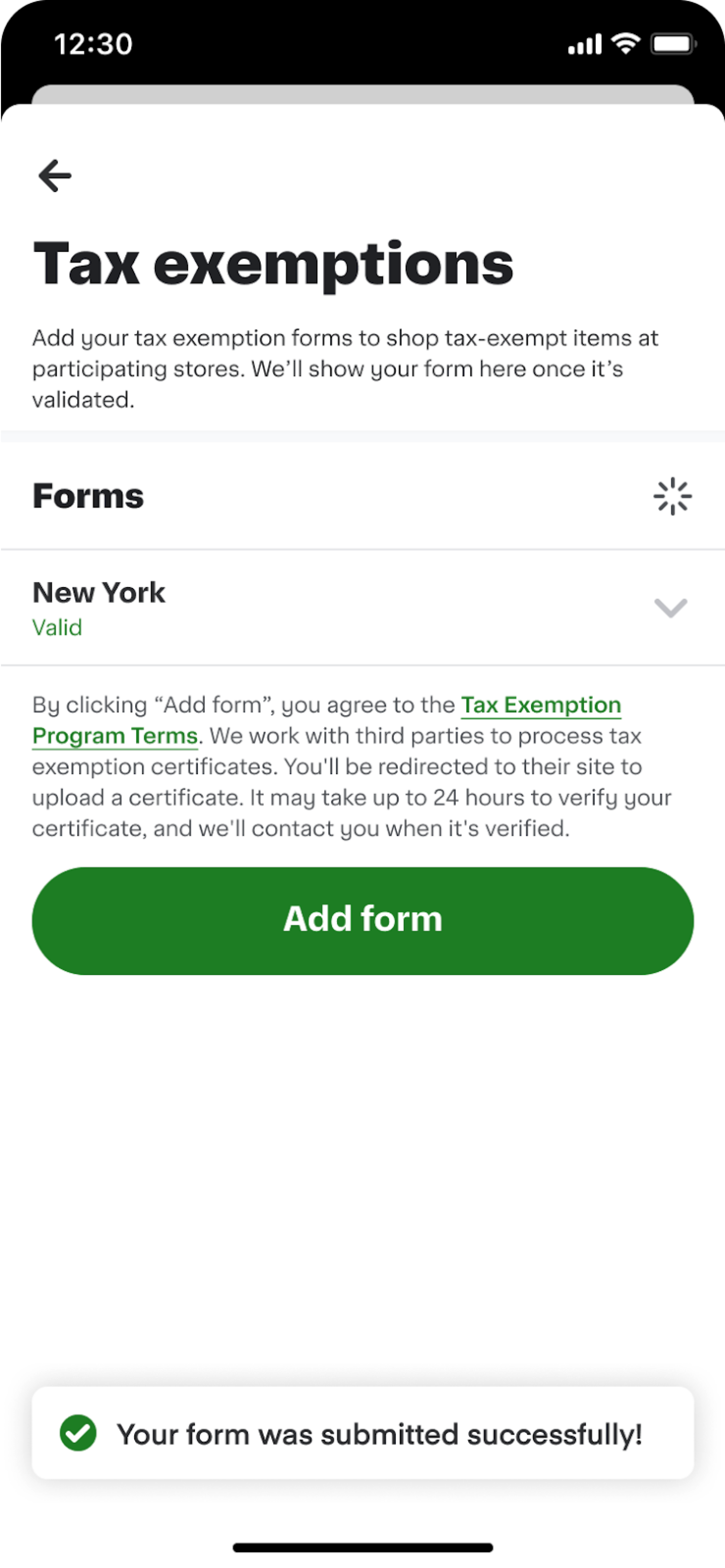
The Tax exemption page is available under Business Settings in the business account menu.
The following image shows the Tax exemption page on a mobile device:
Currently, tax exemptions are limited to Marketplace Facilitator (MPF) states. For businesses in non-MPF states, tax exemption is possible but requires additional configuration. For more information, contact the Instacart Business team.
Instacart+
If the business owner is subscribed to Instacart+, the subscription can be shared with four additional team members. To share the subscription with more team members, higher tiers of Instacart+ are available by contacting business@instacart.com.
- Instacart+ offers a business-specific benefit of 2% credit back on orders above $250.
- For customers with both a personal and business account, Instacart+ benefits are shared across both profiles.